

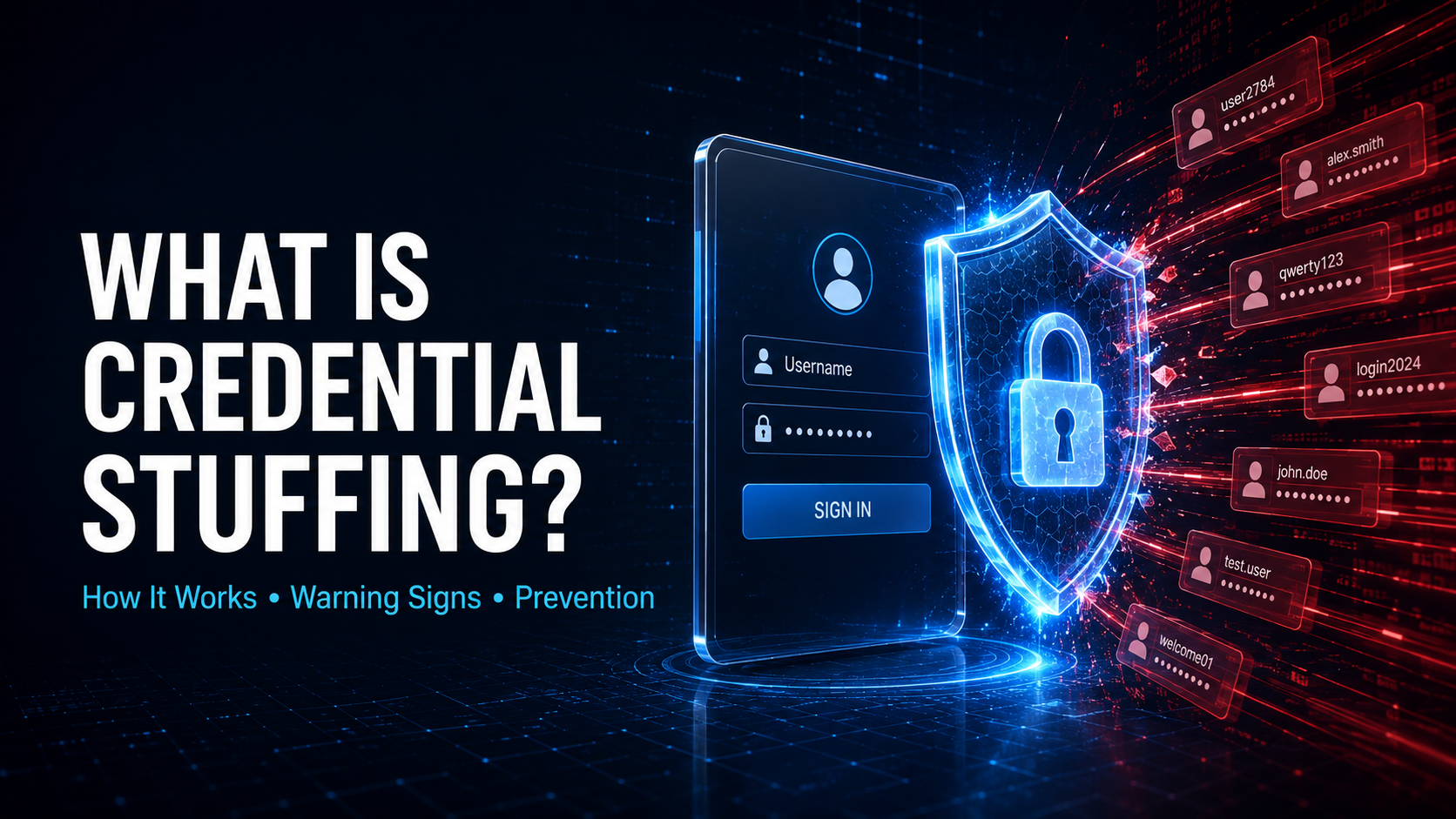
Credential stuffing is an account takeover technique in which attackers use stolen username-and-password combinations to attempt logins on other websites, applications, and online services.
The credentials usually originate from an unrelated data breach, phishing campaign, malware infection, or credential leak. Attackers rely on the fact that many people reuse the same email address and password across multiple accounts.
If a password exposed by one service is also used for banking, email, shopping, cloud storage, social media, or workplace systems, attackers may be able to access those accounts without discovering a new vulnerability.
Credential stuffing does not necessarily mean the targeted company suffered a data breach. Its authentication system may correctly accept the credentials because they belong to a real user. The security failure occurs because a password compromised elsewhere remains valid on the targeted service.
OWASP defines credential stuffing as the automated submission of stolen username-and-password pairs into login forms to gain unauthorized access. OWASP’s credential-stuffing overview explains that password reuse allows credentials exposed by one service to compromise accounts on others.
How Does Credential Stuffing Work?
Credential stuffing attacks commonly follow this pattern:
- Credentials are stolen or exposed through a data breach, phishing attack, information-stealing malware, or another compromise.
- The stolen records are collected into lists containing email addresses, usernames, and passwords.
- Attackers submit those credentials to login pages or authentication APIs belonging to other services.
- Automated tools identify combinations that still work.
- Successful logins are separated from failed attempts.
- Attackers access the affected accounts, steal information, make transactions, or sell the verified credentials.
- The compromised accounts may be used for fraud, spam, phishing, or attacks against additional services.
These attacks can involve large numbers of login attempts. However, attackers may distribute the activity across many IP addresses, devices, cloud systems, or compromised computers to make the campaign appear less suspicious.
Attackers may also imitate normal browser behavior, vary request timing, rotate user agents, and target multiple authentication endpoints. These methods can make credential stuffing more difficult to distinguish from legitimate users who mistype or forget their passwords.
Where Do Stolen Credentials Come From?
Credential lists may originate from:
- Data breaches
- Phishing websites
- Information-stealing malware
- Malicious browser extensions
- Compromised password managers
- Infected personal devices
- Fake mobile applications
- Social-engineering attacks
- Exposed databases
- Public data dumps
- Criminal marketplaces
- Previously compromised accounts
- Passwords collected by another attacker
Some credential lists are old, inaccurate, or duplicated. Others contain recently stolen login information and can be highly effective.
Attackers may combine old credentials with newer personal information. For example, they may update an old username, test password variations, or use exposed recovery details to increase their chances of accessing an account.
Why Is Credential Stuffing Dangerous?
Credential stuffing converts a breach at one organization into a security problem for many unrelated organizations.
A company may maintain strong password storage, secure software, and patched systems but still face account takeovers when customers reuse credentials compromised elsewhere.
Successful access may allow an attacker to:
- View personal information
- Read private messages
- Access stored documents
- Steal loyalty points
- Make unauthorized purchases
- Use saved payment methods
- Change delivery addresses
- Access medical or financial records
- Download customer data
- Create API credentials
- Modify security settings
- Impersonate the account owner
- Send phishing messages
- Commit advertising fraud
- Access connected applications
- Take over workplace accounts
- Resell the verified account
- Lock the legitimate owner out
The damage can spread further when the compromised account is an email account. Email access may allow the attacker to reset passwords for numerous other services, view private communications, intercept security alerts, and discover valuable accounts associated with the victim.
Business accounts can be especially dangerous because they may provide access to internal documents, customer records, payment systems, administrative tools, cloud services, or company communications.
Is Credential Stuffing a Brute-Force Attack?
Credential stuffing belongs to the broader category of automated authentication attacks, but it differs from traditional password guessing.
In a conventional brute-force attack, an attacker tries many possible passwords until one works. In credential stuffing, the attacker begins with username-and-password pairs already obtained from another source.
The attacker is testing whether those credentials have been reused, not necessarily trying to calculate or guess the password.
OWASP distinguishes the major attack types as follows:
- Brute force: Testing many passwords against one or more accounts
- Credential stuffing: Testing username-and-password pairs stolen from another service
- Password spraying: Testing one or several commonly used passwords against many accounts
These distinctions matter because the traffic patterns can differ. An account-based lockout may slow an attacker who targets one user repeatedly, but it may have less effect against a distributed campaign that tries each stolen credential only once.
OWASP classifies credential stuffing as automated threat OAT-008 and describes it as mass login activity used to verify stolen credential pairs. OWASP’s automated-threat entry also distinguishes credential stuffing from credential cracking, which involves guessing unknown values.
Credential Stuffing vs. Password Spraying
Credential stuffing uses different passwords for different accounts because the attacker already possesses complete credential pairs.
Password spraying generally uses the same common or default password against many usernames. This approach attempts to avoid account lockouts that might be triggered by testing many passwords against one user.
For example:
- Credential stuffing tests a known email-and-password pair from a previous breach.
- Password spraying tests a password such as a common seasonal variation across a large collection of employee accounts.
An attack can combine both methods. After a stolen password fails, the attacker may test predictable variations or common alternatives.
Credential Stuffing vs. Credential Cracking
Credential cracking attempts to determine an unknown password by testing guesses, dictionary entries, variations, or calculated values.
Credential stuffing starts with a password that was already associated with the user somewhere else. The attacker is trying to determine whether the same pair remains valid on another service.
Both attacks abuse authentication systems and may lead to account takeover, but credential stuffing is driven primarily by password reuse.
Credential Stuffing vs. Phishing
Phishing attempts to persuade a victim to disclose credentials or perform another harmful action.
Credential stuffing generally occurs after credentials have already been stolen. An attacker might obtain a password through phishing and then test it against other services.
Phishing is therefore one possible source of the credentials used in a stuffing campaign.
Credential Stuffing vs. Account Takeover
Account takeover, or ATO, describes the result: an unauthorized person gains control of an account.
Credential stuffing is one method that can produce account takeover. Other possible methods include:
- Phishing
- Session hijacking
- Malware
- Password reset abuse
- SIM swapping
- Authentication bypass
- Social engineering
- Stolen session tokens
Not every credential-stuffing attempt succeeds, but every successful login can become an account takeover incident.
What Services Are Commonly Targeted?
Any password-based login can be targeted, but attackers often prioritize accounts that contain valuable information, money, access, or resale potential.
Common targets include:
- Email providers
- Banks and payment platforms
- Online retailers
- Streaming services
- Gaming platforms
- Social networks
- Travel and airline accounts
- Food-delivery services
- Cryptocurrency platforms
- Cloud-storage providers
- Healthcare portals
- Insurance services
- Government accounts
- Workplace applications
- Remote-access systems
- Customer-support portals
- Developer platforms
- Advertising accounts
- Subscription services
- Loyalty and rewards programs
Attackers may also target administrative accounts because one successful login could expose many users or systems.
Warning Signs of Credential Stuffing
Security teams may observe:
- A sharp increase in failed logins
- Login attempts against many different accounts
- One attempt per account across a large user population
- Authentication traffic from unusual geographic regions
- Requests distributed across many IP addresses
- Repeated use of hosting-provider or proxy networks
- Numerous accounts accessed by the same device
- Many devices attempting to access the same group of accounts
- Changes in browser or device characteristics
- Successful logins immediately followed by account changes
- Unusual password-reset activity
- Sudden increases in support requests
- Large numbers of CAPTCHA challenges
- Login requests that bypass the normal webpage
- Abnormal authentication API usage
- Attempts involving old or inactive accounts
- High login failure rates with occasional successes
- Successful logins followed by rapid transactions or data downloads
Users may notice:
- Login alerts from unfamiliar locations
- Password-reset messages they did not request
- Changed contact or recovery information
- Unknown purchases
- Missing loyalty points
- New devices connected to the account
- Messages marked as read
- Unfamiliar sent messages
- New application authorizations
- Unexpected MFA prompts
- An inability to sign in
- Security settings they did not change
A successful credential-stuffing login may initially appear legitimate because the attacker supplied the correct password. Detection therefore needs to consider context, behavior, and risk rather than password validity alone.
Why Account Lockouts Are Not Enough
Traditional account lockouts can help prevent repeated password guessing, but they are not a complete credential-stuffing defense.
Attackers may:
- Attempt each account only once
- Wait between attempts
- Rotate IP addresses
- Distribute attempts across many systems
- Target a large population of accounts
- Switch between web and API endpoints
Aggressive lockouts can also allow denial-of-service attacks. An attacker could deliberately submit failed logins to lock legitimate users out of their accounts.
More balanced controls include gradual delays, risk-based challenges, per-account and network-level rate limits, device analysis, and stronger authentication.
How Can Organizations Prevent Credential Stuffing?
Require Multi-Factor Authentication
Multi-factor authentication requires another form of verification in addition to the password.
Even when the attacker has a valid username and password, the absence of the additional factor may prevent access.
Authentication factors can include:
- Security keys
- Passkeys
- Authenticator applications
- Hardware tokens
- Device-bound approval
- Biometric verification
- One-time codes
Phishing-resistant methods, including passkeys and hardware-backed security keys, provide stronger protection than codes that can be intercepted or socially engineered.
OWASP describes MFA as the strongest general defense against credential stuffing and recommends it wherever practical. OWASP’s Credential Stuffing Prevention Cheat Sheet also recommends layered safeguards when MFA cannot be universally enforced.
CISA’s MFA guidance similarly explains that an attacker with one compromised credential should still be unable to satisfy the additional authentication requirement.
Support Passkeys
Passkeys replace reusable passwords with cryptographic credentials associated with the legitimate service.
Because there is no shared password for attackers to steal and replay, passkeys can remove the central condition that makes credential stuffing possible.
Organizations should offer passkeys through a carefully designed enrollment and recovery process. A strong authentication method can be undermined if attackers can switch the account back to a weak recovery route.
Check for Breached Passwords
Applications should prevent users from selecting passwords known to have appeared in previous breaches.
Breached-password screening can be applied when a user:
- Creates an account
- Changes a password
- Resets a password
- Recovers an account
- Responds to a security event
The service should use a privacy-preserving and maintained source rather than collecting untrusted credential files.
A password should not automatically be considered safe merely because it meets complexity requirements. A long password that has already been exposed may still be dangerous.
Encourage Unique Passwords
Each account should use a password that is not used anywhere else.
Organizations can encourage this practice by:
- Supporting password managers
- Allowing long passwords
- Permitting password pasting
- Avoiding arbitrary composition rules
- Screening against breached passwords
- Providing clear security guidance
- Supporting passkeys
Forced password changes on a fixed schedule may encourage predictable variations and password reuse. Password changes are most valuable when compromise is suspected, the password is known to be exposed, or another specific risk exists.
Use Layered Rate Limiting
Rate limits should evaluate more than the number of attempts from one IP address.
Useful dimensions include:
- User account
- IP address
- Network range
- Device
- Browser
- Session
- Geographic region
- Authentication endpoint
- Customer organization
- Failure pattern
Controls can introduce delays, temporary restrictions, additional verification, or step-up authentication when activity becomes suspicious.
Rate limits should protect web pages, mobile APIs, legacy endpoints, identity-provider integrations, and alternative authentication routes.
Detect Automated Traffic
Credential stuffing is commonly automated, so organizations should look for behavior inconsistent with ordinary human login activity.
Signals may include:
- Unusual request timing
- Repeated navigation patterns
- Missing browser behavior
- Abnormal header combinations
- High request consistency
- Device reuse across many accounts
- Known proxy or automation infrastructure
- Attempts covering a large percentage of users
- Rapid switching between accounts
No single signal should be treated as decisive. Attackers can imitate browsers, while legitimate users may connect through shared networks or privacy services.
Apply Risk-Based Authentication
A risk engine can evaluate the circumstances surrounding a login.
Relevant factors may include:
- Whether the device is recognized
- The location of the request
- Travel speed between logins
- Network reputation
- Account value or privilege
- Recent password changes
- Previous attack activity
- Typical user behavior
- Requested operation
- Signs of automation
High-risk logins can require stronger verification, while normal activity can continue with less friction.
Risk scoring should be tested for accuracy and fairness. It should not block users simply because they travel, use accessibility tools, connect through corporate gateways, or rely on privacy technologies.
Use CAPTCHA Carefully
CAPTCHA can increase the cost of automation, but it is not a complete defense.
Attackers may use:
- CAPTCHA-solving services
- Compromised browsers
- Human-assisted workflows
- Accessibility interfaces
- Automated tools capable of passing weaker challenges
- Low-volume distributed attacks
CAPTCHA is best used as one component of a larger risk-based system. Presenting it only after suspicious behavior can reduce disruption for legitimate users.
Organizations should also provide accessible alternatives.
Avoid Username Enumeration
Login, registration, and password-recovery systems should avoid revealing unnecessarily whether an account exists.
Different messages such as “user not found” and “incorrect password” can help attackers validate usernames.
Applications should use appropriately consistent responses while still giving legitimate users enough information to recover access safely.
Response time, status codes, API fields, and other technical behavior should also be reviewed because enumeration can occur even when the visible messages look identical.
Protect Every Authentication Endpoint
Defenses must cover more than the main website login form.
Attackers may target:
- Mobile APIs
- Legacy authentication pages
- Partner portals
- SSO endpoints
- Desktop clients
- Administrative interfaces
- GraphQL APIs
- Customer-service tools
- Password verification endpoints
- Token-issuance routes
- Older application versions
- Test or staging systems exposed to the internet
If one route has weaker protection, attackers may use it to avoid the controls applied elsewhere.
Secure Password Recovery
Attackers who cannot log in directly may attempt to abuse account recovery.
Recovery systems should:
- Use time-limited, single-use tokens
- Protect tokens from disclosure
- Avoid weak security questions
- Notify users of important changes
- Require additional checks for risky requests
- Prevent recovery from silently disabling MFA
- Invalidate old sessions after sensitive changes
- Apply anti-automation controls
- Avoid exposing whether an account exists
The recovery process should not be substantially weaker than the normal authentication process.
Notify Users About Suspicious Activity
Useful alerts may include:
- Login from a new device
- Password changes
- Recovery-information changes
- MFA enrollment or removal
- New application connections
- Security-key additions
- High-risk transactions
- Session revocation
- Unusual account activity
Alerts should contain enough information for the user to recognize the event without disclosing sensitive details.
Messages should direct users to the official application instead of encouraging them to follow unfamiliar links.
Protect High-Risk Actions Separately
A successful login should not automatically authorize every sensitive action.
Applications can require additional verification before:
- Changing the password
- Disabling MFA
- Changing recovery details
- Adding a payment recipient
- Transferring funds
- Revealing sensitive records
- Creating API keys
- Exporting data
- Adding an administrator
- Changing ownership
- Connecting a new application
Transaction-specific controls reduce the damage that a stolen login can cause.
Monitor Successful and Failed Logins
Failed attempts reveal attack activity, but successful logins reveal impact.
Logging should capture appropriate information about:
- Account identifier
- Time
- Authentication endpoint
- Result
- Source network
- Device characteristics
- Risk decision
- MFA result
- Session creation
- Subsequent security changes
Logs should not contain plaintext passwords, authentication secrets, full session tokens, or unnecessary sensitive personal information.
Can a Web Application Firewall Stop Credential Stuffing?
A web application firewall may block obvious automation, malicious infrastructure, or unusually high request volumes.
However, sophisticated campaigns can resemble legitimate traffic. Attackers may use distributed networks, residential proxies, real browsers, and low-volume attempts.
A WAF can contribute to protection, but it should not replace strong authentication, breached-password screening, behavioral detection, rate limiting, and account monitoring.
Does HTTPS Prevent Credential Stuffing?
No.
HTTPS encrypts communication between the user and the service. It prevents network observers from easily reading or changing login traffic.
Credential stuffing generally uses credentials that were already stolen elsewhere. The attacker can submit them through a properly encrypted HTTPS connection.
HTTPS remains essential, but it does not determine whether the person entering a valid password is the legitimate owner.
Are Strong Passwords Enough?
A strong password can resist guessing and cracking, but it cannot protect multiple accounts if it is reused and exposed.
For example, a long, complex password may be secure against brute-force guessing. If that exact password is stolen from one service and reused elsewhere, an attacker does not need to guess it.
The safest approach is to use a unique password for every service, preferably generated and stored by a password manager, or to use passkeys where supported.
Does MFA Completely Eliminate Credential Stuffing?
MFA substantially reduces the chance that a stolen password alone will result in account takeover, but implementation matters.
Attackers may attempt to:
- Trick users into approving prompts
- Steal one-time codes
- Abuse account recovery
- Hijack authenticated sessions
- Register another authentication factor
- Exploit weaknesses in the MFA workflow
Organizations should prefer phishing-resistant authentication, limit repeated prompts, notify users about factor changes, protect recovery, and monitor suspicious enrollment activity.
How Should Credential Stuffing Be Tested?
Testing should be conducted only with explicit authorization.
A security review should evaluate:
- All login endpoints
- Web and mobile authentication
- Rate limiting
- Account lockout behavior
- MFA enforcement
- Passkey support
- Breached-password controls
- Username enumeration
- CAPTCHA behavior
- Device and risk signals
- Password recovery
- Session revocation
- Security notifications
- Logging and alerting
- High-risk transaction verification
- Administrative authentication
- Legacy and partner interfaces
Testing should use controlled accounts and approved credential sets. Real stolen credentials should not be collected or used.
The assessment should also verify that protections cannot be bypassed simply by changing an IP address, request header, client type, or authentication route.
What Should an Organization Do After Detecting Credential Stuffing?
Contain the Campaign
Short-term containment may include:
- Blocking identified malicious infrastructure
- Tightening rate limits
- Requiring step-up authentication
- Challenging suspicious sessions
- Temporarily restricting targeted endpoints
- Forcing MFA for privileged accounts
- Increasing monitoring
- Disabling compromised credentials
- Activating additional bot controls
Containment should be adjusted carefully to avoid unnecessarily locking out legitimate users.
Identify Successful Logins
Investigators should determine:
- Which accounts were targeted
- Which credentials succeeded
- Which sessions were created
- What actions followed authentication
- Whether security settings changed
- Whether data was viewed or exported
- Whether payments were made
- Whether new API tokens were created
- Whether connected services were added
- Whether attackers established persistence
A successful login does not always mean the attacker completed another action, but the account should still be treated as potentially compromised.
Revoke Suspicious Sessions
Changing a password may not terminate sessions already issued to the attacker.
Organizations should revoke:
- Active browser sessions
- Mobile sessions
- Refresh tokens
- Remember-me tokens
- API credentials created during the incident
- Suspicious application authorizations
- Unrecognized trusted devices
Session revocation should be followed by secure reauthentication.
Reset Exposed Credentials
Affected users should be required to choose a new, unique password that does not appear in known breach data.
Reset links should be:
- Single-use
- Time-limited
- Delivered through a verified channel
- Protected from leakage
- Invalidated after use
If compromise extends to the user’s email account, the organization may need an alternative identity-verification process.
Reverse Unauthorized Changes
Organizations should review and, where possible, reverse:
- Recovery-address changes
- Phone-number changes
- MFA modifications
- Transactions
- Purchases
- Shipping-address changes
- API-key creation
- Account-linking changes
- Permission updates
- New administrative users
High-value accounts may require individual review.
Notify Affected Users
Notifications should explain:
- What happened
- Which account was affected
- What suspicious activity occurred
- What the organization has done
- Whether sessions were revoked
- Whether the password was reset
- What the user should do next
- How to contact official support
The notification should avoid blaming users for password reuse. Clear, practical guidance is more likely to improve security behavior.
Review Similar Systems
A credential-stuffing incident may expose inconsistent authentication controls.
Organizations should examine:
- Related brands and domains
- Mobile applications
- Legacy systems
- Administrative panels
- Partner services
- Customer-support tools
- Identity-provider configurations
- Password-recovery systems
- Transaction workflows
Protection should be consistent across the complete authentication surface.
What Should a User Do After a Credential-Stuffing Attack?
If an unfamiliar login or account change appears:
- Open the service through its official application or website.
- Change the affected password.
- Replace the same password on every other account where it was used.
- Use a unique password for each service.
- Sign out all other sessions.
- Enable MFA or a passkey.
- Review recovery email addresses and phone numbers.
- Remove unfamiliar devices and connected applications.
- Check recent transactions and account activity.
- Contact the provider through an official support channel.
- Secure the associated email account.
- Monitor financial accounts when payment information may be involved.
A password manager can generate and store unique passwords, reducing the temptation to reuse them. CISA recommends password managers as a practical way to prevent reuse while requiring the user to remember only one strong master password. CISA’s password guidance provides additional recommendations.
Can Credential Stuffing Affect Accounts With Unique Passwords?
Traditional credential stuffing should fail when the targeted account uses a password that is unique and has not been stolen.
However, the account may still face other threats, such as phishing, malware, password guessing, session theft, or recovery abuse.
Unique passwords remove one major path to compromise, but they should be combined with MFA, secure devices, careful recovery settings, and monitoring.
Is Credential Stuffing Illegal?
Using stolen credentials to access another person’s account without authorization is generally unlawful and violates service terms.
Security researchers must obtain explicit permission before testing authentication defenses. Public availability of breached credentials does not provide authorization to use them.
Organizations should handle exposed credential data carefully and follow applicable privacy, security, evidence, and breach-notification requirements.
Why Does Credential Stuffing Continue to Work?
Credential stuffing remains effective because passwords are reusable secrets.
The same credential can be copied, stolen, sold, and submitted from anywhere. Users may also maintain dozens of accounts, making unique passwords difficult to remember without assistance.
Organizations can reduce the threat by moving toward passkeys and phishing-resistant authentication. Until passwordless systems are widely adopted, password managers, breached-password screening, MFA, behavioral detection, secure recovery, and layered anti-automation controls remain essential.
The goal is not simply to block a large number of failed requests. It is to prevent stolen credentials from becoming trusted sessions and to limit the damage when an attacker manages to authenticate.
