

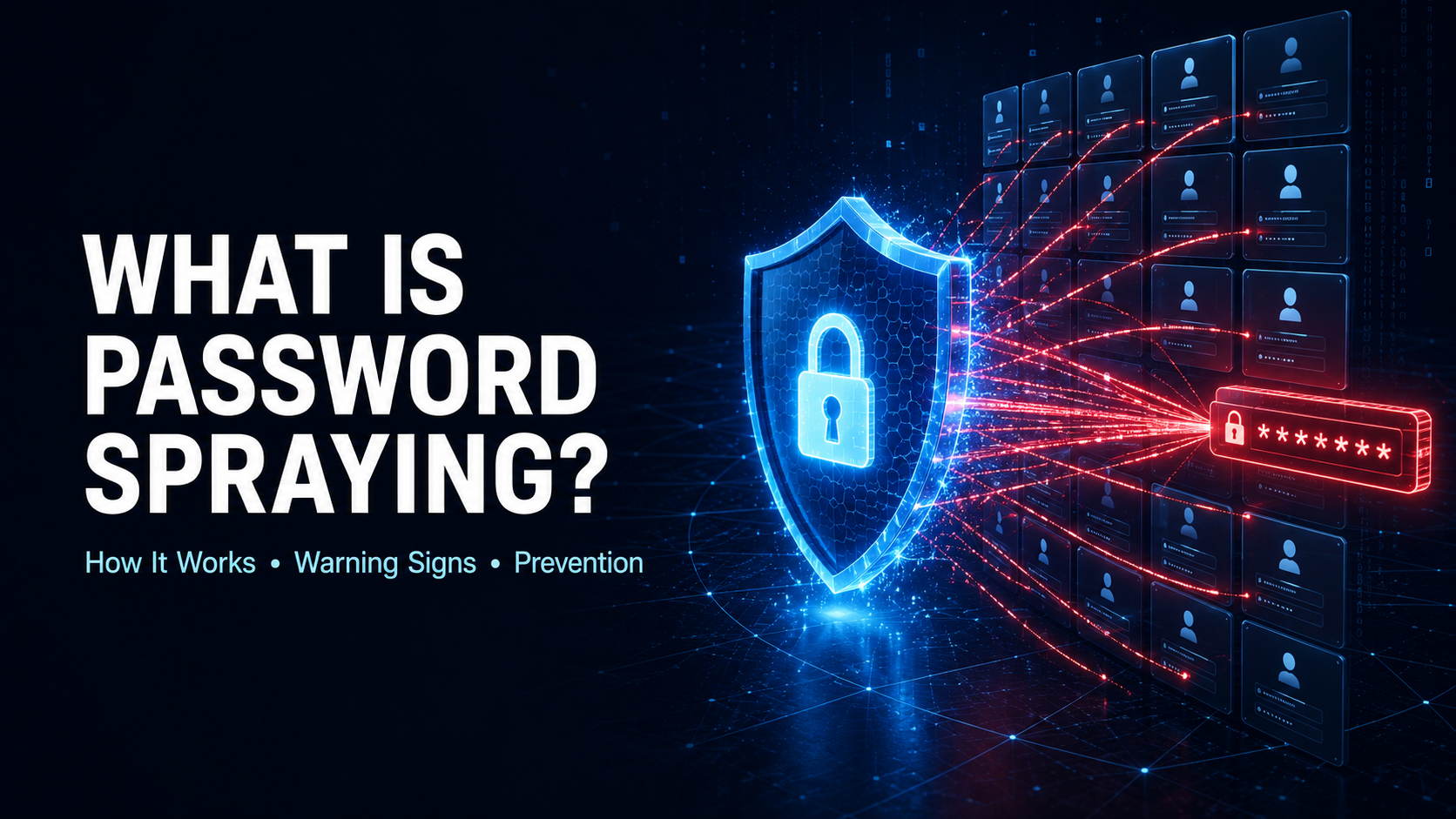
Password spraying is a password attack in which an attacker tests one commonly used password, or a small group of likely passwords, against many different user accounts.
Instead of repeatedly targeting one account, the attacker spreads login attempts across a large number of usernames. This approach can help the activity remain below traditional account-lockout thresholds.
For example, a company might lock an account after five incorrect password attempts. Rather than trying hundreds of passwords against one employee, an attacker may test one password against hundreds of employees, wait, and then try another password later.
The attack becomes successful when even one user has chosen the tested password. That single account may provide access to email, documents, cloud applications, remote-access systems, internal networks, or administrative tools.
OWASP classifies password spraying as a form of brute-force attack that tests a common or default password against multiple accounts. OWASP’s password-spraying overview explains that spreading attempts across users can help attackers avoid lockouts designed to protect individual accounts.
How Does a Password-Spraying Attack Work?
A typical password-spraying attack follows this pattern:
- The attacker collects or predicts usernames associated with an organization.
- The attacker selects a password likely to be used by at least one person.
- That password is tested against many accounts.
- The attacker limits the number of attempts per account.
- After waiting for lockout counters to reset, another password may be tested.
- Successful logins are identified and recorded.
- The attacker accesses the compromised accounts and attempts to expand their control.
The attack depends on breadth rather than depth. Instead of trying to discover one specific user’s password, the attacker looks for any account using a weak, default, shared, or predictable password.
This strategy can be effective in organizations with thousands of users. Even if only a small percentage choose weak passwords, that may still produce several compromised accounts.
Where Do Attackers Obtain Usernames?
An attacker needs potential account names before testing passwords. Those usernames may come from:
- Company websites
- Employee directories
- Professional networking profiles
- Public email addresses
- Press releases
- Conference materials
- Data breaches
- Marketing databases
- Email headers
- Shared documents
- Social media
- Predictable email formats
- Username-enumeration weaknesses
- Previous phishing campaigns
- Public code repositories
If an organization uses a consistent format such as a first name, surname, or email address, an attacker may be able to generate a list without directly compromising the company.
Applications may also reveal whether accounts exist through:
- Different login error messages
- Password-recovery responses
- Registration forms
- Response-time differences
- API status codes
- Account-lookup features
- Single sign-on behavior
This is known as username enumeration. It can make password spraying more accurate by allowing attackers to focus on confirmed accounts.
What Passwords Are Commonly Tested?
Password-spraying campaigns frequently focus on passwords that are easy to predict across an organization.
These may include:
- Default passwords
- Common dictionary words
- Company names
- Product names
- Office locations
- Sports teams
- Seasons and years
- Holiday references
- Predictable keyboard patterns
- Passwords based on organizational events
- Common words followed by a number or symbol
- Temporary passwords
- Shared onboarding passwords
- Slight variations of previously exposed passwords
An organization that requires periodic password changes but does not screen weak passwords may unintentionally encourage predictable patterns. Users might keep the same base word and change only the number, season, or symbol.
Attackers understand this behavior and may target it.
Why Is Password Spraying Dangerous?
Password spraying can compromise accounts without producing the obvious traffic pattern associated with traditional brute force.
A successful login may give an attacker access to:
- Corporate email
- Cloud storage
- Internal documents
- Customer information
- Remote-access services
- Virtual private networks
- Collaboration platforms
- Financial systems
- Source-code repositories
- Administrative dashboards
- Human-resources systems
- Identity-management platforms
- Connected applications
After gaining access, an attacker may:
- Read sensitive messages
- Search for passwords or API keys
- Steal confidential files
- Send internal phishing emails
- Create mailbox-forwarding rules
- Reset passwords for other services
- Impersonate employees
- Access customer data
- Register new authentication methods
- Steal session tokens
- Escalate privileges
- Move between systems
- Establish persistent access
- Deploy malware or ransomware
The first compromised account may belong to an ordinary employee, but it can still provide information and trust relationships that help the attacker target more valuable users.
Password Spraying vs. Brute Force
Traditional brute force usually targets one account with many possible passwords.
Password spraying reverses the pattern:
- Brute force: Many passwords are tested against one account.
- Password spraying: One password is tested against many accounts.
Both are password-guessing attacks, but their authentication patterns differ.
Account lockout is more effective against a rapid brute-force attack because one user accumulates many failures. It may be less effective against password spraying because every account receives only a small number of attempts.
OWASP’s authentication guidance identifies password spraying as one of the automated attacks that authentication systems must be designed to resist. OWASP’s Authentication Cheat Sheet recommends breached-password screening, MFA, thoughtful throttling, and avoiding arbitrary password-rotation rules.
Password Spraying vs. Credential Stuffing
The two attacks are often confused, but they use different information.
Credential stuffing tests stolen username-and-password pairs. The attacker already knows that a particular password belonged to a particular user on another service.
Password spraying tests the same likely password against many accounts. The attacker is guessing that at least one person selected it.
For example:
- Testing stolen credentials from an unrelated breach is credential stuffing.
- Testing one common password against an employee directory is password spraying.
A campaign may combine both methods. Attackers may start with exposed passwords, modify them into likely variations, and then test those variations against multiple accounts.
Password Spraying vs. Phishing
Password spraying attempts to authenticate by guessing passwords.
Phishing attempts to trick users into revealing credentials, approving a request, opening a malicious file, or visiting a deceptive website.
Attackers may use password spraying to obtain initial access and then send convincing phishing messages from a legitimate internal account. They may also use phishing to gather usernames and organizational information before launching a spraying campaign.
Password Spraying vs. Credential Cracking
Credential cracking is a broader category involving attempts to discover valid authentication information through guessing, dictionaries, or automated testing.
Password spraying is a specific type of credential-cracking behavior. Its defining feature is that a small number of passwords are distributed across many usernames.
OWASP tracks credential cracking as automated threat OAT-007 and associates it with weaknesses such as insufficient limits on authentication attempts. OWASP’s credential-cracking entry includes password spraying among the related authentication attacks.
What Systems Are Commonly Targeted?
Any externally reachable password-based authentication system may be targeted.
Common targets include:
- Webmail
- Cloud productivity platforms
- VPN gateways
- Remote-desktop services
- Single sign-on portals
- Identity providers
- Customer portals
- Administrative interfaces
- File-transfer systems
- Virtual desktop infrastructure
- Developer platforms
- Collaboration tools
- Human-resources applications
- Financial applications
- Legacy webmail protocols
- Mobile authentication APIs
- Remote-management services
- Internet-facing enterprise applications
Attackers often look for older services that do not support modern MFA or do not share authentication risk signals with the organization’s main identity platform.
Why Are Legacy Authentication Systems Risky?
Legacy authentication protocols may validate only a username and password. They may not support:
- MFA challenges
- Passkeys
- Device verification
- Modern risk analysis
- Conditional access
- Detailed security alerts
- Strong session controls
An organization may enforce MFA on its primary login page while leaving an older email, mobile, or remote-access protocol available. Attackers can then target the weaker route.
Security teams should identify every protocol and application capable of validating user credentials. Unnecessary legacy authentication should be disabled or tightly restricted.
Warning Signs of Password Spraying
Security teams may observe:
- One password pattern being tested across many accounts
- A high number of distinct usernames from one source
- A small number of failures for each account
- Repeated login waves separated by long pauses
- Authentication attempts near lockout-reset intervals
- Failed logins from unfamiliar regions
- Activity from hosting providers or proxy networks
- Attempts against disabled or nonexistent accounts
- Large-scale username enumeration
- Successful logins mixed into many failures
- Authentication attempts targeting multiple applications
- Use of legacy authentication protocols
- One device attempting to access many accounts
- Multiple IP addresses following the same login pattern
- Logins outside normal working hours
- New devices immediately accessing sensitive resources
- Successful logins followed by mailbox or MFA changes
OWASP recommends logging authentication successes and failures because they provide important indicators of brute force, credential stuffing, and password spraying. OWASP’s Logging Cheat Sheet notes that repeated failures, distributed attempts, and rapid login bursts can help identify account-takeover activity.
Users may notice:
- Unexpected MFA prompts
- Login alerts from unknown locations
- Password-reset notifications
- Unrecognized devices
- Messages marked as read
- New mailbox rules
- Missing or altered files
- Security settings they did not change
- An inability to access their account
Unexpected MFA prompts should never be approved merely to stop the notifications.
Why Traditional Account Lockouts May Fail
Account lockout policies usually count failures against one username.
A password-spraying campaign can avoid that threshold by making only one or two attempts against each user. The attacker may then wait for the failure counters to reset before starting another round.
Lockouts can also be abused to deny service. If attackers intentionally exceed the threshold for many users, they may prevent an entire workforce from signing in.
Organizations should combine account-based controls with broader analysis of:
- Source networks
- Devices
- requested accounts
- Login velocity
- Geographic patterns
- Authentication protocols
- Organizational failure rates
Gradual delays and risk-based challenges may be less disruptive than immediate hard lockouts in some environments.
How Can Organizations Prevent Password Spraying?
Require Multi-Factor Authentication
MFA is one of the strongest defenses against password spraying.
A guessed password should not be sufficient to create a trusted session. The user should also need to satisfy an independent authentication requirement.
Stronger options include:
- Passkeys
- Hardware security keys
- Platform authenticators
- Authenticator applications
- Device-bound credentials
- Certificate-based authentication
CISA recommends phishing-resistant MFA because it provides better protection against common credential attacks than methods that depend on manually entered codes or repeated push notifications. CISA’s phishing-resistant MFA guidance specifically identifies password spraying among the techniques that additional authentication can stop.
MFA should protect:
- Ordinary users
- Administrators
- Remote access
- Cloud applications
- Developer tools
- Service-management portals
- Third-party access
Privileged accounts should receive the strongest available controls.
Support Passkeys
Passkeys remove the reusable password that spraying attacks attempt to guess.
They use cryptographic authentication tied to the legitimate service. The server verifies possession of the correct private key instead of comparing a shared password.
Organizations should carefully secure passkey enrollment, device changes, and account recovery. An attacker should not be able to bypass passkey protection through a weaker fallback process.
Block Weak and Common Passwords
Users should not be allowed to select passwords that attackers are likely to test.
Applications should screen new and changed passwords against lists of:
- Common passwords
- Known breached passwords
- Default passwords
- Predictable sequences
- Organization-specific terms
- Easily guessed variations
The blocklist should be maintained and used through a privacy-conscious process.
Password complexity rules alone are insufficient. A password can contain uppercase letters, numbers, and symbols while remaining predictable.
Eliminate Default Passwords
Default credentials create ideal conditions for password spraying.
Organizations should:
- Avoid issuing shared default passwords
- Generate unique temporary credentials
- Require secure activation
- Expire temporary passwords quickly
- Force replacement during first use
- Prevent temporary credentials from being reused
- Monitor unactivated accounts
- Disable unused accounts
Products should never ship with universal administrative credentials.
The current OWASP authentication guidance treats default, weak, and well-known passwords as authentication failures and recommends MFA and weak-password screening. OWASP Top 10:2025 Authentication Failures includes automated password attacks among the core risks of insecure authentication design.
Avoid Predictable Password-Change Policies
Requiring users to change passwords on a fixed schedule can lead to predictable patterns.
A user may transform one password into a sequence by changing only:
- A number
- A season
- A month
- A year
- A final symbol
Attackers may anticipate these changes.
Organizations should require password replacement when:
- Compromise is suspected
- The password appears in breach data
- The account was recovered
- The password was shared
- A security incident affected the account
- The authentication method changes
Users should be encouraged to choose long, unique passwords instead of frequently rotating memorable patterns.
Apply Multi-Dimensional Rate Limiting
Rate limiting should analyze more than one username or one IP address.
Useful dimensions include:
- Account
- Source IP
- Network range
- Device
- Browser
- Geographic area
- Authentication protocol
- Application
- Organization-wide failure volume
- Number of usernames attempted
- Time between requests
The system can respond with:
- Delays
- Step-up authentication
- CAPTCHA
- Temporary restrictions
- Device verification
- Risk review
- Security alerts
No single limit should be expected to stop a distributed campaign.
Monitor Organization-Wide Failure Patterns
Password spraying may be almost invisible when each account is viewed individually.
Security teams should correlate events across the entire user population. Ten thousand accounts receiving one failed login each can be more suspicious than one user mistyping a password several times.
Detection should consider:
- How many accounts a source attempted
- How quickly usernames changed
- Whether multiple sources followed the same sequence
- Which passwords or protocols appear associated with the activity
- Whether attempts occurred in coordinated waves
- Whether any account eventually succeeded
- What happened after successful authentication
Centralized identity and security monitoring can reveal patterns that individual applications miss.
Disable Unnecessary Legacy Authentication
Organizations should identify authentication methods that cannot enforce MFA or modern risk controls.
Unneeded protocols should be disabled. Required legacy systems should be:
- Restricted to approved networks
- Isolated from privileged accounts
- Closely monitored
- Protected with compensating controls
- Scheduled for replacement
New security controls must cover web, desktop, mobile, API, and remote-access authentication.
Protect Against Username Enumeration
Authentication responses should not reveal unnecessary details about whether an account exists.
Applications should avoid clearly different responses such as:
- “Username not found”
- “Correct username, wrong password”
- “This employee account is inactive”
Consistency should extend to status codes, API fields, and response timing where practical.
Public employee information should also be reviewed. Organizations cannot hide every email address, but they can limit unnecessary exposure of complete staff directories and predictable account identifiers.
Use Conditional Access
Conditional-access policies can restrict authentication based on context.
Organizations may require stronger verification or deny access when:
- The device is unmanaged
- The location is unusual
- The source network has poor reputation
- An unsupported protocol is used
- The account has elevated privileges
- The login behavior appears automated
- The device has not previously accessed the account
- The request follows suspicious failures
Policies should account for legitimate travel, shared networks, accessibility needs, and privacy services to reduce false positives.
Use CAPTCHA as a Supporting Control
CAPTCHA may slow automated password spraying, particularly after suspicious behavior is detected.
However, it is not sufficient on its own. Attackers may use human-solving services, compromised devices, or automation designed to bypass weak challenges.
OWASP recommends CAPTCHA as one possible defense while emphasizing that it has known limitations. Its Credential Stuffing Prevention Cheat Sheet recommends combining multiple defenses when MFA cannot be enforced.
Protect Service Accounts
Service accounts can be valuable targets because they may possess broad permissions and may not use interactive MFA.
Organizations should:
- Avoid password-based service accounts where possible
- Use workload identities
- Use managed identities
- Store secrets securely
- Rotate credentials after suspected exposure
- Restrict login locations
- Deny interactive login where unnecessary
- Apply least privilege
- Monitor unusual activity
- Separate administrative and service identities
Long-lived passwords embedded in scripts or configuration files can create serious exposure.
Secure Administrative Accounts
Administrators should use separate accounts for privileged and routine activity.
Administrative accounts should have:
- Phishing-resistant MFA
- Restricted login locations
- Managed devices
- Strong conditional access
- No unnecessary legacy authentication
- Shorter session lifetimes
- Detailed logging
- Additional transaction verification
- Carefully controlled recovery
Privileged accounts should not use default usernames or predictable passwords.
Can a Web Application Firewall Stop Password Spraying?
A web application firewall may detect high-volume traffic or block known malicious networks.
However, password spraying can be distributed across many sources and performed slowly. Each individual request may look like an ordinary failed login.
A WAF is most useful as part of a layered defense that includes MFA, weak-password screening, behavioral analytics, centralized authentication monitoring, conditional access, and protocol restrictions.
Does CAPTCHA Prevent Password Spraying?
CAPTCHA can increase the attacker’s cost, but it does not eliminate the threat.
Some attackers use real browsers, CAPTCHA-solving services, compromised devices, or low-frequency attempts. CAPTCHA may also create usability and accessibility problems for legitimate users.
It should be presented selectively based on risk rather than treated as the primary security control.
Does HTTPS Stop Password Spraying?
No.
HTTPS encrypts authentication traffic while it travels between the client and server. It protects passwords from network interception.
It does not prevent an attacker from submitting password guesses through an encrypted connection.
HTTPS is essential, but authentication still requires MFA, strong password controls, rate limiting, monitoring, and secure session management.
How Should Password Spraying Be Tested?
Testing must occur only with explicit authorization and within an agreed scope.
A security assessment should review:
- All authentication endpoints
- Lockout thresholds
- Counter-reset timing
- Rate limiting
- Organization-wide correlation
- MFA enforcement
- Legacy protocols
- Username enumeration
- Weak-password screening
- Default credentials
- Conditional-access policies
- Administrative accounts
- Service accounts
- Logging and alerting
- Password recovery
- Session revocation
Testing should use designated accounts and harmless passwords. It should be coordinated with security and operations teams to avoid account lockouts, service disruption, or false incident alerts.
What Should an Organization Do After Detecting Password Spraying?
Contain the Attack
Immediate measures may include:
- Blocking identified sources
- Restricting targeted protocols
- Requiring MFA
- Increasing login delays
- Activating risk-based challenges
- Disabling unnecessary legacy authentication
- Restricting high-risk geographic access
- Protecting privileged accounts
- Increasing monitoring
Security teams should avoid relying solely on IP blocking because attacks may move to new infrastructure.
Identify Successful Logins
Investigators should determine whether any authentication attempts succeeded.
Review:
- Authentication logs
- MFA events
- Device registrations
- Session creation
- Mailbox activity
- Cloud audit logs
- File access
- Application authorizations
- Password changes
- Recovery changes
- Administrative actions
A correct password may have been used without producing obvious malicious activity immediately.
Reset Compromised Credentials
Affected passwords should be replaced with strong, unique alternatives that do not appear in known breach or common-password lists.
Organizations should also determine whether the same password was shared across accounts, systems, service identities, or customers.
Revoke Suspicious Sessions
Changing a password may not terminate every active session.
Revoke:
- Browser sessions
- Mobile sessions
- Refresh tokens
- Remembered-device tokens
- Suspicious application authorizations
- Newly issued API credentials
- Unrecognized MFA registrations
Users should then authenticate through a trusted device.
Remove Persistence
Attackers may create ways to retain access after the password changes.
Investigators should check for:
- Mailbox-forwarding rules
- New MFA methods
- New recovery addresses
- OAuth application permissions
- API tokens
- Administrative accounts
- Scheduled tasks
- Modified access policies
- New trusted devices
Notify Affected Users
Users should receive clear instructions about:
- What activity was detected
- Whether their account was accessed
- Whether sessions were terminated
- Whether a password reset is required
- How to enroll in stronger authentication
- Which activity they should review
- How to contact official support
What Should a User Do After a Password-Spraying Incident?
If a service warns that your account may have been affected:
- Open the service through its official website or application.
- Change the password to a unique one.
- Sign out other sessions.
- Enable MFA or a passkey.
- Review unfamiliar devices.
- Check recovery information.
- Remove unknown connected applications.
- Review recent messages, files, and transactions.
- Secure the associated email account.
- Contact official support if unauthorized activity appears.
If the old password was used elsewhere, replace it on those services as well.
Are Long Passwords Safe From Password Spraying?
Length makes passwords more resistant to guessing, but predictability still matters.
A long password based on a common phrase, company name, or seasonal pattern may appear in an attacker’s password list. A password that is both long and unique is substantially safer.
A password manager can generate a random password for every account, while passkeys can remove passwords from the login process entirely.
Can MFA Be Bypassed After a Successful Password Guess?
MFA makes a successful password guess much less useful, but attackers may attempt additional techniques, including:
- Repeated push notifications
- Social engineering
- Code interception
- Weak recovery processes
- Session theft
- Legacy authentication
- Fraudulent factor enrollment
Organizations should prefer phishing-resistant MFA, limit repeated prompts, secure recovery, and notify users about authentication-method changes.
Why Is Password Spraying Still Effective?
Password spraying remains effective because many environments contain at least a few weak passwords.
Large organizations may also have:
- Old accounts
- Default credentials
- Inconsistent MFA
- Legacy protocols
- Shared passwords
- Forgotten service accounts
- Weak onboarding processes
- Predictable password policies
- Incomplete authentication monitoring
The attacker does not need every account to be weak. One successful login may be enough to begin a broader compromise.
Defending against password spraying therefore requires more than telling users to create better passwords. Organizations need phishing-resistant authentication, weak-password screening, centralized detection, safe rate limiting, secure recovery, protocol control, and rapid investigation of successful logins.
