

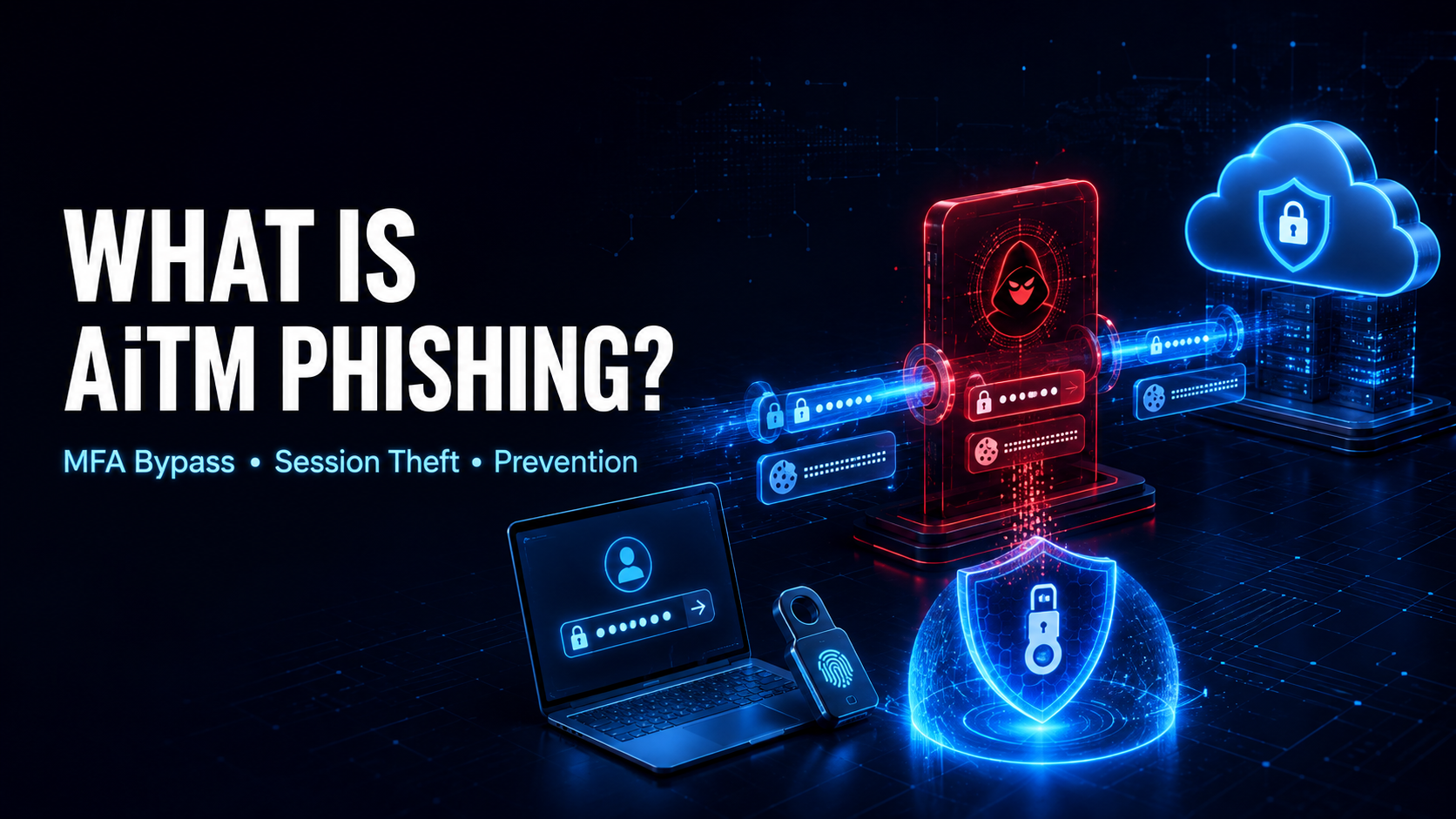
Adversary-in-the-middle phishing, commonly shortened to AiTM phishing, is an advanced phishing technique in which an attacker places a malicious proxy between a victim and a legitimate online service.
The victim believes they are interacting directly with the genuine website. In reality, the attacker-controlled system relays information between the victim’s browser and the legitimate service in real time.
This allows the attacker to capture:
- Usernames
- Passwords
- One-time authentication codes
- Login responses
- Authenticated session cookies
- Access tokens
- Other information submitted during login
Traditional phishing pages often collect credentials and display an error or redirect the victim afterward. An AiTM phishing site acts as a live intermediary. It forwards the credentials to the real service, displays the genuine authentication process, and captures the session material issued after the user successfully completes MFA.
The stolen session cookie may then allow the attacker to access the account without entering the password or completing MFA again.
OWASP describes real-time reverse-proxy phishing as a technique that relays authentication traffic between the victim and the legitimate service while capturing credentials and session tokens. OWASP’s Multifactor Authentication Cheat Sheet recommends phishing-resistant FIDO2 and WebAuthn authentication because it binds the login to the legitimate origin.
How Does an AiTM Phishing Attack Work?
A typical AiTM phishing attack follows this pattern:
- The attacker creates or configures a malicious reverse-proxy website.
- A phishing message directs the victim to the attacker-controlled domain.
- The fake site displays a login experience resembling the legitimate service.
- The victim enters a username and password.
- The malicious proxy forwards those credentials to the real service.
- The legitimate service requests MFA.
- The victim completes the authentication challenge.
- The real service creates an authenticated session.
- The session cookie or token travels through the attacker-controlled proxy.
- The attacker captures and reuses that session material.
- The victim may be redirected to the genuine service or shown an ordinary page.
- The attacker accesses the account as an authenticated user.
The victim may see genuine content because the proxy is actively communicating with the legitimate website. This makes the experience more convincing than a static imitation.
Why Is AiTM Phishing Dangerous?
AiTM phishing targets the authenticated session rather than stopping at the password.
A conventional MFA system may successfully verify that the user possesses an additional factor. However, once authentication is complete, the service typically issues a session cookie so the user does not need to authenticate again for every page.
If the attacker steals that cookie, the service may treat the attacker’s browser as part of the already authenticated session.
MITRE ATT&CK explains that stolen web session cookies can allow access to online services without requiring credentials and may bypass some MFA protections. MITRE’s Steal Web Session Cookie entry specifically notes that malicious proxies can capture session cookies during phishing campaigns.
A successful AiTM attack may lead to:
- Email account takeover
- Business email compromise
- Sensitive-data theft
- Financial fraud
- Internal phishing
- Cloud-account access
- File downloads
- Account impersonation
- New authentication-method enrollment
- API-token creation
- Payment redirection
- Privilege escalation
- Persistent access
- Attacks against customers and suppliers
What Is a Reverse Proxy?
A reverse proxy is a server that receives a request and forwards it to another server.
Reverse proxies have many legitimate uses, including:
- Load balancing
- Application security
- Content delivery
- Web acceleration
- TLS termination
- Identity-aware access
In AiTM phishing, the attacker abuses this concept.
The victim connects to the malicious proxy. The proxy connects to the real login service. Information moves through the attacker’s infrastructure in both directions.
The attacker can observe or capture authentication information passing through that position.
What Is a Session Cookie?
After a user successfully signs in, a website commonly places a session cookie in the browser.
That cookie acts as evidence that authentication has already occurred. The browser sends it with later requests, allowing the user to move through the service without repeatedly entering a password and MFA code.
A session cookie may therefore be as valuable as the password during its valid lifetime.
MITRE classifies the reuse of stolen cookies as T1550.004: Use Alternate Authentication Material—Web Session Cookie. MITRE’s session-cookie reuse guidance explains that possession of an authenticated cookie may bypass authentication requirements because the session is already trusted.
Does AiTM Phishing Really Bypass MFA?
AiTM phishing does not necessarily break the cryptography behind MFA.
Instead, it may trick the legitimate user into completing the authentication process and then steal the session produced by that successful login.
The sequence is:
- The attacker submits the victim’s password through the proxy.
- The genuine service requests MFA.
- The victim completes MFA.
- The service issues an authenticated session token.
- The attacker captures that token.
MFA performed its intended check, but the resulting session was delivered through an attacker-controlled path.
This is why phishing-resistant MFA is different from simply adding another manually entered code.
AiTM Phishing vs. Traditional Phishing
Traditional credential phishing often uses a static copy of a login page.
The fake page records the credentials and may display an error or redirect the victim to the legitimate site.
AiTM phishing relays the actual login flow in real time. This can allow the fake site to display:
- Genuine error messages
- MFA challenges
- Organization-specific branding
- Conditional login steps
- Real account responses
Traditional phishing may be stopped when MFA requires an additional factor that the attacker does not possess. AiTM phishing attempts to collect or relay that factor and steal the authenticated session.
AiTM vs. Man-in-the-Middle
The terms adversary-in-the-middle and man-in-the-middle are sometimes used interchangeably.
A traditional man-in-the-middle attack may involve intercepting network communication through:
- Rogue Wi-Fi
- DNS manipulation
- Address-resolution abuse
- Certificate problems
- Compromised routers
- Protocol weaknesses
AiTM phishing commonly refers to an application-layer attack in which a malicious reverse proxy relays a legitimate authentication flow.
MITRE uses Adversary-in-the-Middle as the formal name for technique T1557, covering attackers who position themselves between networked parties to collect or manipulate data. MITRE’s AiTM technique entry includes the interception of credentials, access tokens, and session cookies.
AiTM Phishing vs. Browser-in-the-Middle
A browser-in-the-middle, or BitM, attack provides the victim with access to a browser session controlled or observed by the attacker.
Instead of only proxying web requests, the attacker may cause the victim to interact with a remote browser. The visible browsing session can appear normal while the attacker captures the authenticated state.
Google’s threat-intelligence research describes BitM as a technique that uses normal browser functionality to make victims believe they are browsing securely while their session is compromised. Google’s Browser-in-the-Middle research explains that MFA remains important but may not protect a session token once authentication has been completed through an attacker-controlled environment.
AiTM Phishing vs. MFA Fatigue
MFA fatigue attacks repeatedly trigger approval prompts until the victim approves one.
AiTM phishing presents a deceptive login experience and relays authentication in real time.
Both may result in an attacker obtaining a valid session, but the user experience differs:
- MFA fatigue creates repeated unsolicited prompts.
- AiTM phishing makes the victim believe they initiated a legitimate login.
AiTM Phishing vs. Session Hijacking
Session hijacking is the broader act of taking control of an authenticated session.
AiTM phishing is one method of stealing session material. Other methods include:
- Information-stealing malware
- Cross-site scripting
- Insecure token storage
- Browser extensions
- Network interception
- Accidental token exposure
- Compromised devices
A successful AiTM campaign usually becomes a session-hijacking incident once the attacker reuses the captured cookie.
How Do Victims Reach AiTM Phishing Sites?
Attackers may distribute malicious links through:
- Text messages
- Collaboration platforms
- Social media
- Search advertisements
- QR codes
- Compromised websites
- Shared documents
- Calendar invitations
- Vendor accounts
- Previously compromised email threads
Messages often create urgency or familiarity.
Common themes include:
- A shared document
- Password expiration
- Unusual account activity
- An unpaid invoice
- A voicemail notification
- An account-security review
- A required policy acknowledgment
- A meeting invitation
- A cloud-storage link
- An MFA update
- A supplier payment request
Messages sent from a compromised trusted account can be especially convincing.
Why Does the Fake Login Page Look Real?
A malicious reverse proxy may relay much of the genuine page content.
The attacker does not always need to manually recreate every screen. The proxy can retrieve the legitimate page and present it through the attacker-controlled domain.
The page may display:
- Correct logos
- Current design
- Real error messages
- The organization’s name
- Genuine MFA prompts
- Familiar navigation
The domain name remains a critical clue. The page content may look genuine, but the browser is connected to the attacker’s domain.
Warning Signs of AiTM Phishing
Users may notice:
- An unexpected request to sign in
- A login link with an unfamiliar domain
- A subtle misspelling in the web address
- A strange subdomain placed before a familiar brand name
- An unexpected QR code
- A login page opened from a document or calendar invitation
- A password-manager autofill failure
- An MFA request during an unusual workflow
- A sudden redirect after authentication
- A repeated login request
- A certificate warning
- A request to enter an MFA code into a page reached through email
Security teams may observe:
- Successful logins from unusual locations
- Impossible travel
- One authentication flow using multiple IP addresses
- Session reuse from a different network
- New autonomous system numbers
- Suspicious reverse-proxy infrastructure
- New devices immediately accessing sensitive files
- Unusual mailbox-rule creation
- New MFA-method enrollment
- OAuth application authorization
- Large downloads after a new login
- Security-alert deletion
- A login followed by password or recovery changes
- Session activity continuing after credential reset
- Similar phishing links sent to multiple users
Microsoft describes AiTM as a high-confidence identity risk when an authentication session is linked to a malicious reverse proxy capable of intercepting credentials and issued tokens. Microsoft Entra ID Protection guidance explains that detected users can be elevated to a high-risk status for policy-based response.
Why Password Managers Can Help
Password managers associate saved credentials with a particular domain.
If the user reaches a lookalike domain, the password manager may not automatically fill the saved credentials.
That missing autofill can be a valuable warning sign.
Users should not assume the password manager is malfunctioning and manually copy the password without checking the address. They should verify the domain or open the service through a trusted bookmark or application.
Password managers cannot prevent every phishing attack, but they provide useful origin awareness.
How Can Individuals Avoid AiTM Phishing?
Use Passkeys or Security Keys
Passkeys and FIDO security keys bind authentication to the legitimate website’s origin.
A credential registered for the real service should not authenticate a deceptive domain.
This protects the user even when the fake page looks convincing.
Open Services Directly
Instead of following an unexpected login link:
- Open the official application
- Use a trusted bookmark
- Type the known website address
- Navigate from the organization’s internal portal
If a document or alert is genuine, it should normally be visible after signing in through the official route.
Check the Complete Domain
Look at the actual registered domain, not merely the logo or first words in the address.
Attackers may use:
- Misspellings
- Added words
- Misleading subdomains
- Similar-looking characters
- Unrelated domains containing a brand name
HTTPS and a padlock do not prove that a website is trustworthy. Attackers can obtain valid TLS certificates for malicious domains.
Treat Unexpected MFA Requests Seriously
An unexpected code or approval request may mean someone has the password or is relaying a login.
Do not:
- Approve the request
- Enter the code
- Share a number
- Respond to supposed support staff
Access the service directly and review recent activity.
Report Suspicious Messages
Reporting gives security teams an opportunity to block the link, search for other recipients, and investigate possible compromises.
Do not forward a malicious message casually, because doing so may expose more people to the link. Use the organization’s approved reporting feature.
How Can Organizations Prevent AiTM Phishing?
Deploy Phishing-Resistant MFA
The strongest defense is authentication that verifies the legitimate web origin.
Preferred methods include:
- Passkeys
- FIDO2 security keys
- WebAuthn platform authenticators
- Smart cards
- Certificate-based authentication
OWASP recommends FIDO2 and WebAuthn because they bind authentication to the legitimate origin and resist reverse-proxy phishing.
Manually entered one-time codes, SMS codes, and simple push approval do not provide the same protection because users can submit or approve them through an attacker-controlled flow.
Use Hardware-Backed, Non-Exportable Keys
Authentication keys should be protected by device hardware where appropriate.
Examples include:
- Trusted Platform Modules
- Secure Enclave
- Android StrongBox
- Hardware security keys
Non-exportable keys are more difficult to copy or replay from another device.
Bind Tokens to Devices
Bearer session tokens can normally be used by whoever possesses them.
Token protection, sometimes called token binding, associates a token with cryptographic material held by a particular device. A stolen token cannot be replayed successfully without the device’s key.
Microsoft recommends token protection to reduce the replay of stolen authentication material. Microsoft’s token-protection guidance describes combining device-bound sessions with Conditional Access and secure-network restrictions.
Use Short-Lived Sessions
Reducing token lifetime limits the period during which a stolen session remains useful.
Applications should combine shorter lifetimes with:
- Secure refresh-token rotation
- Risk-based reauthentication
- Continuous access evaluation
- Reliable revocation
- User-friendly trusted-device policies
Extremely short sessions can harm usability without stopping immediate abuse, so lifetime must be part of a broader strategy.
Reevaluate Sessions Continuously
Authentication risk can change after login.
A service should be able to react when:
- The user is disabled
- The password changes
- The account is marked compromised
- The network changes unexpectedly
- The device becomes noncompliant
- Security staff revoke access
- A high-risk event is detected
Microsoft’s continuous access evaluation guidance explains how participating services can respond to critical identity events in near real time rather than waiting for a token to expire.
Apply Conditional Access
Organizations can restrict access based on:
- Managed device status
- Device compliance
- Network location
- Authentication method
- Account privilege
- Application sensitivity
- User risk
- Sign-in risk
A valid session cookie should not automatically grant unrestricted access from any device or location.
Detect Token Replay
Defenders should look for:
- One session appearing from multiple networks
- Sudden changes in geography
- Changes in device characteristics
- Impossible travel
- Session use from known malicious infrastructure
- New sensitive actions after authentication
- Cookie use inconsistent with the original login
Detection must consider legitimate travel, mobile networks, proxies, and privacy services to reduce false positives.
Protect Session Cookies
Applications should:
- Use Secure cookies
- Use HttpOnly where appropriate
- Apply suitable SameSite settings
- Avoid placing tokens in URLs
- Prevent token leakage into logs
- Rotate sessions after authentication
- Invalidate sessions after logout
- Enforce idle and absolute timeouts
- Revoke tokens after high-risk events
- Protect against cross-site scripting
Cookie flags reduce particular risks, but they do not stop a token deliberately relayed through a reverse-proxy phishing site.
Secure Account Changes
Require fresh, strong authentication before:
- Changing the password
- Replacing recovery information
- Adding an MFA method
- Disabling MFA
- Creating API keys
- Connecting applications
- Exporting data
- Modifying payment details
- Adding administrators
An attacker with a temporary session should not be able to establish permanent access easily.
Monitor Post-Login Behavior
AiTM campaigns may be detected through what happens after authentication.
High-risk actions include:
- Creating mailbox-forwarding rules
- Searching for financial messages
- Downloading large amounts of data
- Sending phishing emails
- Adding authentication factors
- Creating application passwords
- Authorizing OAuth applications
- Changing payment information
- Deleting alerts
Microsoft has documented AiTM campaigns that progressed into business email compromise across multiple organizations. Microsoft Security research illustrates why detection must continue after the initial login.
Protect Email and Collaboration Channels
Organizations should use:
- Malicious-link scanning
- Attachment analysis
- Domain-reputation checks
- External-sender labeling
- QR-code analysis
- Impersonation protection
- Compromised-account detection
- Easy phishing reporting
- Rapid link blocking
Security systems should also examine messages sent from trusted but compromised accounts.
Train Users Around Real Workflows
Training should focus on practical decisions:
- Open shared files through the official application
- Do not log in through unexpected links
- Check the domain
- Treat failed password-manager autofill as a warning
- Reject MFA requests not personally initiated
- Report suspicious messages quickly
- Verify unusual requests through a separate channel
Users should not be expected to identify every sophisticated page by appearance alone. Product and identity controls must provide the main protection.
Can Traditional MFA Stop AiTM Phishing?
It can stop some attacks, but manually entered codes and simple approvals may be relayed in real time.
MFA remains far safer than password-only authentication. However, organizations facing advanced phishing should move toward origin-bound, phishing-resistant methods.
The answer is stronger MFA—not removal of MFA.
Does HTTPS Prevent AiTM Phishing?
No.
HTTPS protects the connection between the browser and the website it actually visits.
If the user connects to an attacker-controlled domain, HTTPS may securely encrypt the connection to that malicious site. The proxy can then establish its own encrypted connection to the legitimate service.
A padlock means the connection is encrypted. It does not mean the website belongs to the company the user intended to visit.
Does Changing the Password End an AiTM Attack?
Not necessarily.
If the attacker already possesses a valid session cookie, changing the password may not immediately terminate that session.
Recovery should include:
- Password reset
- Session revocation
- Refresh-token revocation
- Connected-application review
- MFA-method review
- Device review
- Mailbox-rule inspection
- API-key review
How Should AiTM Phishing Defenses Be Tested?
Testing must be performed only with explicit authorization.
A security review should examine:
- Phishing-resistant MFA coverage
- Passkey and security-key behavior
- Token binding
- Conditional access
- Session lifetime
- Token revocation
- Risk detection
- Device compliance
- Impossible-travel detection
- Login notifications
- MFA enrollment
- Recovery workflows
- Email defenses
- Post-login monitoring
- Privileged-account protection
Testing should use controlled accounts, approved domains, and harmless actions. Real credentials or unauthorized users should never be involved.
What Should an Organization Do After Detecting AiTM Phishing?
Block the Campaign
Containment may include:
- Blocking malicious domains
- Removing phishing messages
- Blocking sender infrastructure
- Restricting suspicious IP addresses
- Warning affected users
- Preserving evidence
- Searching for related messages and links
Identify Users Who Interacted
Investigators should determine:
- Who received the message
- Who opened the link
- Who entered credentials
- Who completed MFA
- Which sessions were created
- Whether tokens were replayed
- What applications were accessed
Clicking the link does not automatically prove compromise, while successfully authenticating through it creates much higher risk.
Revoke Sessions and Tokens
Revoke:
- Browser sessions
- Refresh tokens
- Mobile sessions
- Remembered-device tokens
- Application passwords
- Suspicious OAuth grants
- Newly created API keys
Session revocation is essential because the attacker may already possess authenticated material.
Reset Credentials
Affected passwords should be changed from a trusted device.
If password reuse occurred, the same password must be replaced on every other service.
Remove Persistence
Review and remove:
- New MFA methods
- Changed recovery information
- New trusted devices
- Mailbox-forwarding rules
- OAuth applications
- API tokens
- Added administrators
- Conditional-access exclusions
Review Account Activity
Investigate:
- Messages sent
- Files accessed
- Data downloaded
- Transactions
- Account changes
- Permission changes
- Searches
- Deleted alerts
- Contacted customers or suppliers
Notify Downstream Targets
If the compromised account sent phishing messages or fraudulent payment instructions, warn recipients through a trusted channel.
What Should a User Do After Entering Credentials on a Suspicious Site?
Act quickly:
- Close the suspicious page.
- Use a trusted device.
- Open the legitimate service directly.
- Change the password.
- Sign out all other sessions.
- Revoke unfamiliar connected applications.
- Remove unknown devices.
- Review MFA methods.
- Check recovery information.
- Inspect recent account activity.
- Report the incident to the provider or security team.
- Replace the password anywhere else it was used.
- Review financial activity when relevant.
- Scan the device for malware.
If a workplace account is involved, contact the security team immediately rather than waiting to see whether anything happens.
Are Passkeys Immune to AiTM Phishing?
Passkeys are designed to resist this attack because authentication is bound to the legitimate website’s origin.
A passkey registered for the real domain should not authenticate the attacker’s lookalike domain.
No security system removes every risk. Devices, recovery processes, account enrollment, and authenticated sessions still require protection. However, passkeys remove the easily relayable password-and-code exchange that AiTM phishing commonly exploits.
AiTM phishing succeeds by making an illegitimate path look like a legitimate login. Effective defense changes authentication so visual similarity is no longer enough: the browser, authenticator, device, and service must cryptographically agree on where the login is occurring.
