

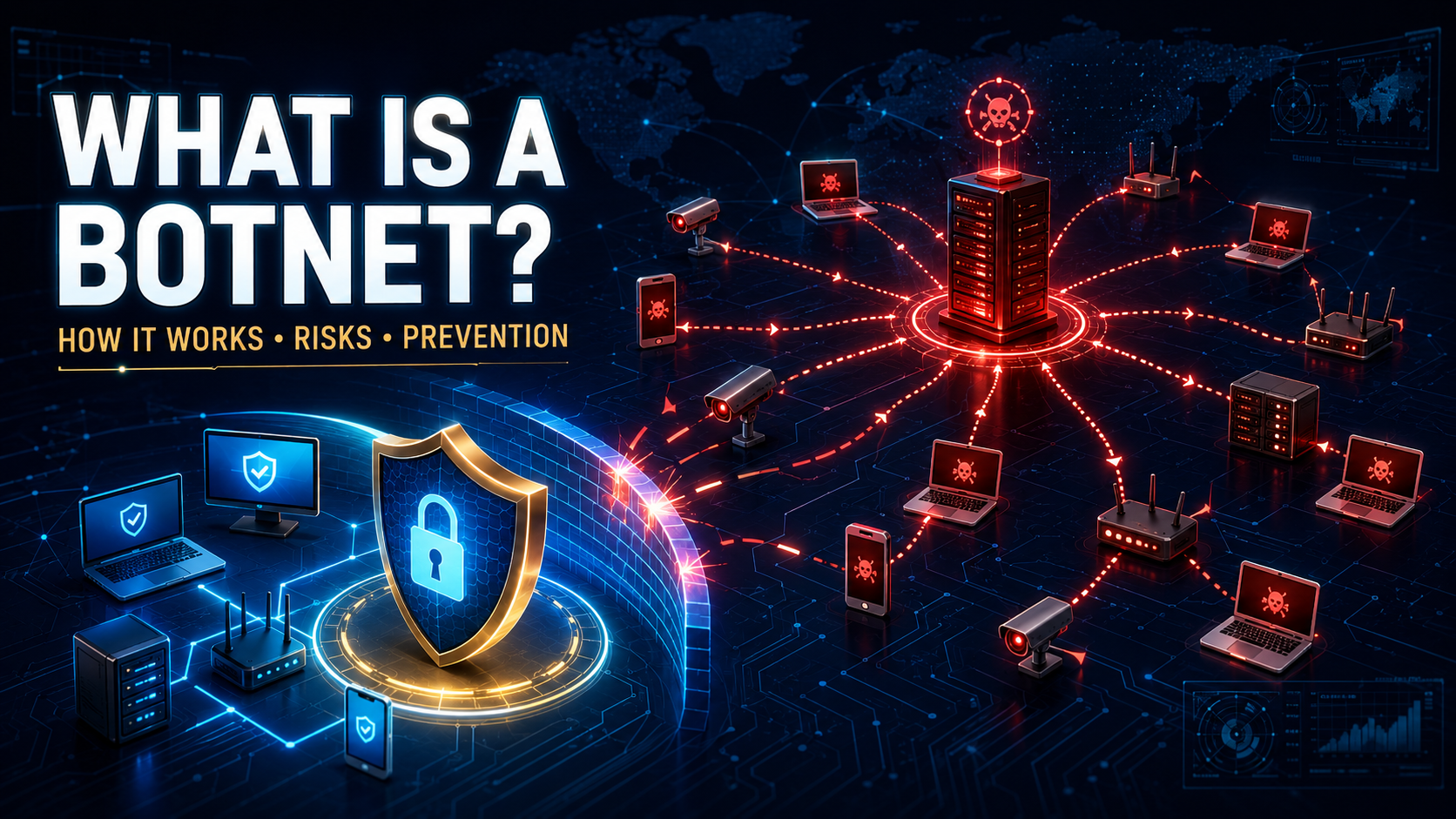
A laptop, router, security camera, or smart device can appear to work normally while secretly taking instructions from a cybercriminal. When thousands or millions of compromised devices are controlled together, they form a botnet.
A botnet attack uses the combined internet connections and processing power of these devices to send spam, spread malware, hide criminal traffic, steal information, or overwhelm online services.
The device owners may have no idea that their equipment has become part of the network. This hidden participation can slow the device, increase data usage, expose personal information, and make illegal activity appear to come from the owner’s internet connection.
What Is a Botnet?
A botnet is a network of internet-connected devices infected with malware and controlled remotely by an attacker.
The name comes from “robot network.” Each compromised device is known as a:
- Bot
- Zombie
- Infected host
- Compromised endpoint
The person controlling the network is sometimes called a botmaster or bot herder.
A botnet may contain:
- Desktop computers
- Laptops
- Smartphones
- Servers
- Wi-Fi routers
- Security cameras
- Digital video recorders
- Network storage devices
- Smart televisions
- Internet of Things devices
Microsoft defines a botnet as a network of connected devices that an attacker infects with malicious code and controls remotely. Microsoft Security
How Does a Botnet Work?
A botnet operation normally develops through several stages.
The Attacker Finds Vulnerable Devices
The botnet operator searches for devices with weak passwords, outdated software, exposed services, or known security vulnerabilities.
Attackers may also use phishing messages, malicious downloads, Trojans, and compromised websites.
Malware Infects the Device
The attacker installs malware that allows the device to receive remote commands.
The malware may hide itself, disable security features, or create a backdoor.
The Device Connects to Command and Control
After infection, the bot contacts the botnet’s command-and-control infrastructure, commonly shortened to C2 or C&C.
The device identifies itself and waits for instructions.
The Botmaster Sends Commands
The attacker can command many infected devices at once.
The bots may be told to:
- Visit a particular website
- Send email
- Download malware
- Scan for new targets
- Relay internet traffic
- Steal credentials
- Perform advertising clicks
- Mine cryptocurrency
The Botnet Continues Growing
Some botnet malware automatically searches for additional vulnerable devices.
Every new infection increases the botnet’s power and gives the attacker more internet connections from different locations.
Types of Botnet Architecture
Centralized Botnet
A centralized botnet communicates with one or more command-and-control servers controlled by the attacker.
The botmaster sends instructions to the central infrastructure, which distributes them to the bots.
This model is efficient but creates a potential weakness. If investigators identify and disable the control servers, they may disrupt the botnet.
Peer-to-Peer Botnet
A peer-to-peer botnet allows infected devices to communicate with one another.
Commands can move through the network without depending on one central server. This makes the botnet more difficult to dismantle because no single system controls all communication.
Hybrid Botnet
A hybrid botnet combines centralized and peer-to-peer methods.
The attacker may use ordinary control servers when they are available while maintaining alternative channels in case those servers are blocked.
How Do Devices Become Part of a Botnet?
Default Passwords
Routers, cameras, and other smart devices sometimes use predictable factory credentials.
If the owner never changes them, automated botnet software may log in and install malware.
Outdated Software
Devices that no longer receive security updates can remain exposed to known vulnerabilities.
The FBI reported that many routers used in the KV Botnet were vulnerable because they had reached end-of-life status and no longer received manufacturer security patches. FBI
Phishing Messages
A fraudulent email or text may contain a malicious attachment or download link.
Opening it can install botnet malware on the device.
Trojanized Software
Cracked programs, unofficial VPNs, game modifications, free utilities, and fake security tools may contain hidden backdoors.
The promised application may work while silently connecting the device to a botnet.
Malicious Websites
A compromised or fraudulent website may exploit an outdated browser or persuade the visitor to install unsafe software.
Exposed Remote Services
Poorly secured remote desktop, administration panels, file-sharing services, and internet-facing devices can provide an entry point.
Compromised Supply Chains
Attackers may insert malicious code into a trusted software product or update process.
Users then install the botnet component while believing they are receiving legitimate software.
What Are Botnets Used For?
Distributed Denial-of-Service Attacks
A distributed denial-of-service attack, or DDoS attack, commands many devices to send traffic to the same website, server, or application.
The combined traffic can overwhelm the target and prevent legitimate users from accessing it.
CISA explains that DDoS attackers frequently use botnets made from hijacked internet-connected devices. CISA
Spam Campaigns
Botnets can send enormous volumes of unwanted email.
Distributing messages across many infected devices helps attackers avoid ordinary sending limits and makes blocking the campaign more difficult.
Malware Distribution
A botnet may deliver ransomware, spyware, password stealers, or additional Trojans.
The botnet provides attackers with a ready-made network of compromised systems from which to launch further infections.
Credential Theft
Bot malware may record keystrokes, steal browser cookies, capture passwords, or search devices for financial information.
Stolen credentials can be used for account takeover or sold to other criminals.
Proxy Services
A botnet can route criminal traffic through infected home or business connections.
This makes fraudulent activity appear to come from the victim’s IP address instead of the attacker’s location.
The FBI has documented botnets that used malicious VPN applications to turn victims’ devices into residential proxies, allowing crimes to appear as though they originated from those victims. FBI
Click Fraud
Bots can automatically click online advertisements.
These fake interactions generate fraudulent advertising revenue and distort campaign statistics.
Cryptocurrency Mining
A botnet may use infected devices to perform cryptocurrency calculations.
This can increase electricity consumption, cause overheating, reduce performance, and shorten hardware life.
Credential Stuffing
Attackers use bots to test stolen username-and-password combinations against many websites.
Requests coming from thousands of ordinary-looking residential devices can be harder to block than activity from one server.
Data Scraping
Botnets can collect prices, account information, website content, or other online data at a scale that overwhelms ordinary controls.
Cyberespionage
State-sponsored or organized attackers may use compromised routers and devices to conceal hacking activity, access target networks, and steal confidential information.
What Is an IoT Botnet?
An IoT botnet primarily compromises Internet of Things devices such as cameras, routers, smart appliances, and recorders.
These devices are attractive targets because they may:
- Use default passwords
- Receive updates infrequently
- Run continuously
- Have direct internet access
- Contain limited security monitoring
- Remain in use after support ends
In 2024, the FBI reported a botnet involving compromised routers, IP cameras, digital video recorders, and network-attached storage devices. The attackers used the network to disguise malicious activity as ordinary consumer traffic. FBI
Botnet vs. Malware
Malware is the software that infects and controls the device.
A botnet is the larger network created when many infected devices communicate with an attacker or one another.
A single malware family may build several botnets operated by different groups.
Botnet vs. Computer Worm
A computer worm is self-replicating malware that spreads between devices.
A worm may be used to build a botnet by infecting devices and installing a remote-control component. However, not every worm creates a botnet, and not every botnet spreads through a worm.
Botnet vs. DDoS Attack
A botnet is a network of compromised devices.
A DDoS attack is one action that a botnet may perform. The same network could also be used for spam, proxy traffic, credential theft, or malware distribution.
Warning Signs That a Device Is in a Botnet
Botnet malware is designed to operate quietly. Possible warning signs include:
- Internet connection becoming unusually slow
- High data usage without explanation
- Device overheating while idle
- Battery draining rapidly
- Router activity lights flashing continuously
- Unknown network connections
- Emails or messages sent without permission
- Security software being disabled
- Device settings changing
- Processor usage remaining high
- Unfamiliar background processes
- Frequent crashes or restarts
- Router becoming inaccessible
- New administrator accounts
- Internet provider sending an abuse warning
- Online accounts showing unusual activity
Many of these symptoms can have ordinary causes. A security scan and network review are needed before assuming the device is compromised.
How to Check for Botnet Malware
Run a Full Security Scan
Update reputable antivirus or endpoint-security software and perform a complete scan.
Quarantine confirmed threats and review the scan report.
Review Network Activity
Check which programs and devices are making internet connections.
Continuous outbound traffic from an idle device may deserve investigation.
Review Connected Devices
Open the router’s administration page or official management application and inspect the list of connected equipment.
Remove or block devices you do not recognize.
Check Router Settings
Review:
- Administrator accounts
- DNS settings
- Remote-management options
- Port-forwarding rules
- Firmware version
- Connected devices
Unexpected changes may indicate compromise.
Examine Account Activity
Check email, social media, cloud storage, and other important accounts for unfamiliar sessions and sent messages.
Check Internet-Provider Notices
An internet provider or security company may notify customers when traffic from their connection resembles botnet activity.
Treat legitimate warnings seriously, but verify them through the provider’s official website or phone number rather than a link in an unexpected message.
How to Remove a Device From a Botnet
Disconnect the Device
Disconnect the suspected device from the internet and local network.
This can interrupt communication with the botnet and reduce additional malicious activity.
Update Security Software
Use a clean device when necessary to obtain the latest security tools or instructions.
Run a complete scan and remove confirmed malware.
Change Passwords From a Clean Device
Change passwords for email, administrator accounts, cloud services, banking, and other important services.
Enable multi-factor authentication.
Update the Operating System
Install current operating-system, application, driver, and firmware updates before returning the device to normal use.
Reset a Compromised Router
If the router is infected, perform a factory reset using the manufacturer’s official instructions.
After resetting:
- Install current firmware
- Create a strong administrator password
- Change the Wi-Fi password
- Disable remote administration if unnecessary
- Review DNS and port settings
- Reconnect devices individually
Reinstall the Operating System
A clean installation may be necessary if the malware repeatedly returns or administrator access was compromised.
Restore only scanned personal files and reinstall applications from official sources.
Replace Unsupported Devices
A router or smart device that no longer receives security updates may remain vulnerable after a reset.
Replacing end-of-life equipment is often safer than continuing to expose it to the internet.
What to Do After a Botnet Infection
After cleanup:
- Review financial and account activity
- Sign out of unknown sessions
- Remove unfamiliar connected applications
- Check email forwarding rules
- Scan every device on the network
- Update router and IoT firmware
- Change reused passwords
- Monitor network traffic
- Contact the internet provider if necessary
- Report identity theft or fraud
- Create clean backups
If illegal activity was routed through the device, preserve relevant notices and seek professional or legal advice when appropriate.
How to Prevent Botnet Infections
Change Default Passwords
Replace factory passwords immediately after installing routers, cameras, recorders, storage devices, and smart equipment.
Use a unique password for every administrative interface.
Enable Automatic Updates
Turn on automatic firmware and software updates when the device supports them.
Regularly check products that do not update automatically.
Replace End-of-Life Equipment
Do not continue using internet-connected equipment after the manufacturer stops providing security fixes.
Unsupported devices can become permanent weak points.
Disable Unused Features
Turn off unnecessary remote administration, universal plug and play, port forwarding, file sharing, and internet-facing services.
Every enabled service increases the possible attack surface.
Use a Secure Router
Protect the router with:
- Current firmware
- Strong administrator credentials
- Modern Wi-Fi encryption
- A separate guest network
- Disabled remote management
- Carefully reviewed DNS settings
Use Updated Security Software
Keep real-time antivirus or endpoint protection active on computers and supported mobile devices.
Configure it to scan downloads and suspicious connections.
Download From Trusted Sources
Use official application stores and developers’ verified websites.
Avoid cracked software, unknown VPNs, fake optimizers, and unofficial installers.
Be Careful With Links and Attachments
Do not open unexpected attachments or install software from urgent messages.
Confirm unusual requests through another communication method.
Segment Smart Devices
Where practical, place cameras, televisions, appliances, and guest devices on a separate network from computers containing sensitive information.
Monitor Network Activity
Businesses should monitor unexpected outbound connections, unusual traffic volumes, failed logins, and communication with known malicious infrastructure.
Can a Phone Become Part of a Botnet?
Yes. Mobile malware can turn a smartphone or tablet into a bot.
The device may send spam, perform advertising fraud, route traffic, steal information, or attempt to infect other accounts and devices.
Can an iPhone Become Part of a Botnet?
Any internet-connected platform can potentially be targeted, although the infection methods and practical risk differ.
Keeping iOS updated, avoiding unknown configuration profiles, protecting the Apple Account, and installing applications through trusted sources reduce the risk.
Can a Smart TV or Security Camera Join a Botnet?
Yes. Smart televisions, cameras, recorders, routers, and other IoT equipment are common botnet targets.
Change default passwords, install firmware updates, disable unused services, and replace unsupported devices.
Does Restarting a Router Remove Botnet Malware?
Restarting may temporarily remove malware that exists only in memory, but it does not fix the vulnerability or weak password that allowed the infection.
Persistent malware may survive the restart, and memory-only malware can return quickly if the device remains exposed.
A factory reset, firmware update, secure reconfiguration, or hardware replacement may be required.
Is My Device Responsible for a Botnet Attack?
A compromised device can participate in an attack without the owner’s knowledge.
The person operating the botnet is directing the activity, but traffic may still appear to originate from the victim’s internet connection. This is one reason botnet infections should be investigated and removed promptly.
