

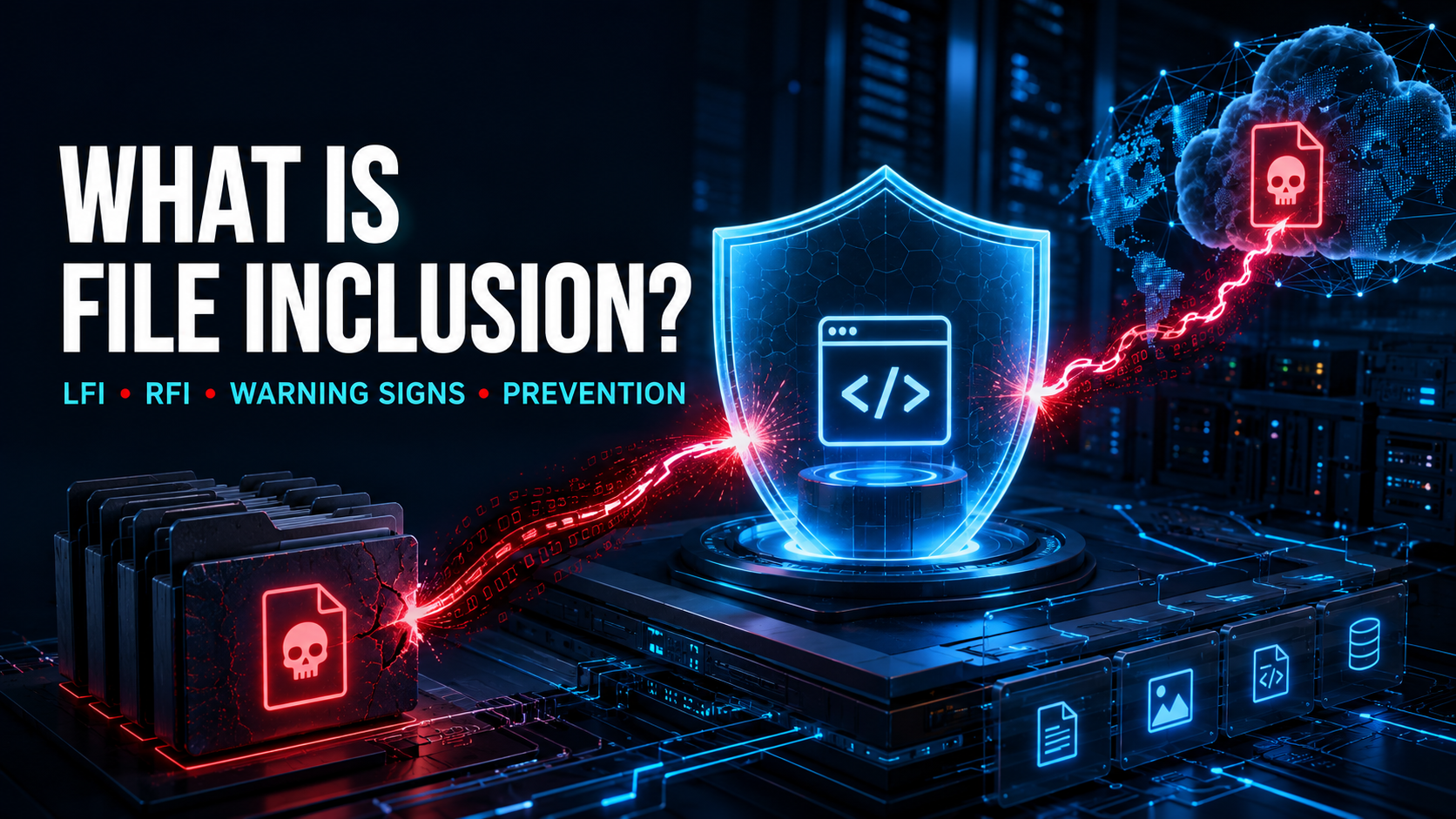
File inclusion is a web security vulnerability that allows an attacker to influence which file an application loads, displays, or executes.
Applications commonly include files to reuse templates, navigation menus, language packs, configuration data, and shared program functions. The vulnerability appears when untrusted input controls the selected file without strict validation.
Depending on how the application handles the file, a successful attack may expose sensitive information, reveal source code, execute malicious instructions, compromise accounts, or give an attacker control over the server.
The two best-known forms are:
- Local File Inclusion (LFI): The application loads a file that already exists on or is accessible to the server.
- Remote File Inclusion (RFI): The application loads content from an attacker-controlled or unauthorized remote location.
Although file inclusion is often associated with older PHP applications, the underlying security problem can affect any platform that dynamically loads files, templates, modules, scripts, or remote resources based on user-controlled information.
How Does a File Inclusion Vulnerability Work?
Many applications divide their functionality into reusable files.
A website might dynamically load:
- Page templates
- Headers and footers
- Language files
- Themes
- User dashboards
- Help pages
- Configuration files
- Plug-ins
- Reports
- Document previews
- Shared functions
- Media files
This design is normal and can make software easier to maintain. The risk begins when a request parameter, cookie, form value, API field, or stored database value directly determines which file is loaded.
A typical file inclusion attack follows this pattern:
- The application receives a user-controlled value.
- It treats the value as all or part of a filename, path, or resource location.
- The application does not restrict the selection to an approved set.
- The attacker substitutes an unintended local or remote file.
- The application loads or processes that file.
- The attacker receives its contents or causes the application to execute it.
OWASP explains that file inclusion flaws commonly arise in dynamic inclusion mechanisms that use user-supplied input without proper validation. The impact may range from disclosing file contents to executing code on the server. OWASP’s File Inclusion testing guidance describes the vulnerability and its consequences.
Why Is File Inclusion Dangerous?
File inclusion crosses an important trust boundary. It lets an attacker influence what the application treats as trusted content or executable functionality.
Possible consequences include:
- Exposure of configuration files
- Disclosure of source code
- Theft of database credentials
- Access to API keys and tokens
- Reading operating-system files
- Exposure of customer information
- Session theft
- Authentication bypass
- Execution of malicious server-side code
- Installation of persistent backdoors
- Modification of application behavior
- Access to internal services
- Complete server compromise
- Movement into other systems
The precise impact depends on:
- Whether the file is displayed or executed
- Which file types can be included
- Whether remote resources are permitted
- The application’s permissions
- Available local files
- Upload functionality
- Server configuration
- Programming language behavior
- Network access
- Security boundaries around the process
Even a file inclusion flaw that appears to provide only read access may expose secrets that enable a more serious attack.
What Is Local File Inclusion?
Local File Inclusion, commonly abbreviated as LFI, occurs when an application loads an unintended file from the local server, an attached storage volume, a network share, or another location accessible through its filesystem.
An attacker may attempt to include:
- Application source code
- Configuration files
- Log files
- Temporary files
- Session files
- Uploaded content
- System information
- Authentication records
- Environment files
- Cached documents
- Backup files
Local file inclusion is frequently connected to path traversal. The attacker manipulates a path so the application moves outside its intended template or content directory and reaches another file.
However, the terms are not identical. Path traversal describes escaping a directory boundary, while file inclusion describes what the application does with the selected file.
An LFI flaw becomes especially dangerous when the application interprets the included content as executable server-side code.
What Is Remote File Inclusion?
Remote File Inclusion, or RFI, occurs when an application loads a file or resource from a remote location controlled or selected by an attacker.
Instead of selecting a file already available to the server, the attacker causes the application to retrieve external content.
If the application treats that content as program code, an attacker may execute malicious instructions with the application’s permissions.
Potential outcomes include:
- Remote code execution
- Malware installation
- Backdoor creation
- Credential theft
- Database compromise
- Unauthorized administrative access
- Server takeover
- Use of the server in further attacks
RFI generally requires the application’s programming language and server configuration to permit remote resource inclusion. Modern platforms often disable the most dangerous behavior by default, but unsafe custom loaders and legacy configurations can recreate similar risks.
MITRE tracks improper control of filenames used in include or require operations as CWE-98. Its guidance emphasizes narrowly restricting filenames and allowed extensions rather than relying on loose blocklists. MITRE’s CWE-98 entry documents the weakness.
What Is the Difference Between LFI and RFI?
The central difference is where the included file comes from.
| Characteristic | Local File Inclusion | Remote File Inclusion |
|---|---|---|
| Common abbreviation | LFI | RFI |
| File location | Local or server-accessible storage | Remote system or URL |
| Typical objective | Read or execute an existing file | Load attacker-controlled content |
| Common dependency | Unsafe path handling | Remote inclusion or fetching enabled |
| Frequent impact | Information disclosure | Remote code execution |
| Network access required | Not necessarily | Usually |
| May involve path traversal | Frequently | Sometimes |
Both vulnerabilities result from allowing untrusted input to select a resource used by the application.
Common Types of File Inclusion
Basic Local File Inclusion
The application accepts a path or filename and loads an unintended local file.
If the application displays the file rather than executing it, the attacker may gain access to sensitive information. If it interprets the file as code, the impact can be more severe.
Local File Inclusion Through Path Traversal
An attacker manipulates directory-navigation components to escape the approved template or content directory.
The application may appear to restrict files to one folder, but unsafe path construction allows the request to reach other parts of the filesystem.
Encoded File Inclusion
An attacker may encode directory separators, filename components, or resource locations to bypass weak validation.
This becomes possible when:
- Validation occurs before decoding
- Input is decoded repeatedly
- Multiple components interpret encoding differently
- The application and web server normalize paths differently
- Alternative character representations are accepted
Security checks must examine the same normalized value the application ultimately uses.
Second-Order File Inclusion
In a second-order file inclusion vulnerability, the dangerous value is stored before it is used.
For example, an application may save a theme name, template path, report location, or uploaded filename. A background process or administrator page later loads the stored value without validating it again.
Because submission and inclusion happen at different times, the data flow may be difficult to identify.
File Inclusion Through Uploaded Content
A file-upload feature can amplify an inclusion vulnerability.
The attacker may upload a file that appears harmless and then exploit LFI to make the application load it in a more dangerous context.
Upload controls and inclusion controls must therefore be evaluated together.
Log File Inclusion
Applications and servers record information in log files. Some of that information may originate from user requests.
If an attacker can influence logged content and later make the application include the log file as executable content, the combination may lead to code execution.
Applications should not interpret log files as templates or program code, and the web process should have limited access to administrative logs.
Session File Inclusion
Some platforms store session information in local files.
If an attacker can influence session content, identify the relevant storage location, and include the session file through a vulnerable application, the result may be more serious than ordinary file disclosure.
Secure session storage, unpredictable identifiers, restricted filesystem permissions, and safe file-loading behavior reduce this risk.
Template Inclusion
Modern applications use templates to generate webpages, emails, reports, and documents.
If a user controls the template name or template path, the application may load an unintended local template. In some systems, templates support expressions or program logic, potentially increasing the impact.
Remote Template or Module Inclusion
Some platforms dynamically retrieve themes, plug-ins, modules, or templates from remote repositories.
If the source location is attacker-controlled or insufficiently verified, the application may import malicious functionality.
The risk resembles RFI even if the platform does not use a traditional language-level include statement.
Where Do File Inclusion Vulnerabilities Appear?
File inclusion flaws often occur in features that dynamically select content.
Common examples include:
- Multilingual websites
- Theme selectors
- Content-management systems
- Template engines
- Plug-in systems
- Document previewers
- Report generators
- Administrative dashboards
- Customer portals
- File managers
- Developer tools
- Legacy PHP applications
- Learning-management platforms
- E-commerce systems
- Webmail applications
- Help and documentation systems
- Media-processing platforms
- Server management panels
- Internet of Things interfaces
- Custom application frameworks
Developers should examine input from URLs, forms, API bodies, cookies, headers, uploaded metadata, database records, configuration stores, and message queues.
What Causes File Inclusion?
The root cause is allowing an untrusted value to select a file or resource that the application treats as trusted.
Common development problems include:
- Passing user input directly to an include function
- Constructing template paths through string concatenation
- Accepting complete filenames from a browser
- Allowing users to provide remote URLs
- Relying on a character blocklist
- Validating before decoding or normalization
- Trusting file extensions
- Assuming an authenticated user is safe
- Permitting remote resource inclusion unnecessarily
- Storing unsafe file paths for later use
- Using excessive filesystem permissions
- Placing sensitive files near public application content
- Allowing uploaded content to be executed
- Exposing detailed filesystem errors
- Failing to authorize access to the selected resource
Secure software must control both the identity of the resource and how the application processes it.
What Is the Difference Between File Inclusion and Path Traversal?
Path traversal allows an attacker to escape an intended directory and reach another filesystem location.
File inclusion causes the application to load, interpret, or execute the selected file.
A traversal vulnerability may allow an attacker to read a file directly without including it as application content. An inclusion vulnerability may select an unintended file even without navigating through parent directories.
The vulnerabilities frequently appear together, but their effects can differ.
What Is the Difference Between File Inclusion and File Upload?
A file upload vulnerability allows an attacker to store an unsafe file or place it in an unsafe location.
File inclusion lets the attacker make the application load a selected file.
When combined, an attacker may upload content and then use an inclusion flaw to process it as executable code. This is why uploaded files should be stored outside executable application directories and served through controlled download handlers.
What Is the Difference Between RFI and SSRF?
Remote File Inclusion causes an application to load remote content as a file, module, template, or executable resource.
Server-Side Request Forgery, or SSRF, manipulates the server into sending an unintended network request.
Both may make a server contact an attacker-selected destination. The key difference is how the response is used.
With SSRF, the application may simply fetch or forward data. With RFI, the returned content may become part of the application’s executable or interpreted behavior.
What Is the Difference Between File Inclusion and Code Injection?
Code injection directly introduces instructions into an interpreter or runtime.
File inclusion selects a file containing content that the application may interpret as code.
Both can lead to execution, but their input paths are different. File inclusion often depends on controlling a filename or resource location rather than directly supplying the entire instruction through a form field.
Warning Signs of a File Inclusion Attack
Security teams may observe:
- Requests containing unusual filenames or paths
- Encoded directory-navigation patterns
- References to configuration or system files
- Unexpected external URLs in template parameters
- Application servers connecting to unfamiliar domains
- Repeated attempts to load different local files
- Sensitive file contents in application responses
- Templates loaded from unexpected locations
- Web processes accessing log or session directories
- Unusual errors mentioning include or require functions
- Detailed filesystem paths displayed to users
- Unexpected child processes
- New or modified application files
- Outbound traffic immediately following a page request
- Requests for uploaded files through template parameters
- Changes to themes, plug-ins, or language files
- Application code running from temporary directories
- New persistent scripts or scheduled tasks
A single error does not prove exploitation. Investigators should correlate web requests with application, network, filesystem, process, and authentication activity.
How Can Developers Prevent File Inclusion?
Do Not Let Users Choose a File Path
The strongest defense is to prevent client input from becoming a filename or resource location.
Instead, accept a short identifier and map it to a server-controlled resource.
For example, a language selector might accept a supported language code. The application then uses an internal mapping to select the correct file.
The browser never needs to know or submit the actual filesystem path.
Use a Strict Allowlist
Define exactly which templates, language packs, themes, modules, or documents may be loaded.
Reject every value not included in the approved set.
A server-side mapping is safer than attempting to remove dangerous characters from an arbitrary filename.
Avoid Dynamic Inclusion When Possible
If the application has only a small number of known components, import or register them directly in application code.
Dynamic file selection increases complexity and makes it harder to prove that only trusted resources can be loaded.
Disable Remote Inclusion
Applications should not load executable functionality from arbitrary remote URLs.
Disable language or framework features that permit remote file inclusion unless they are absolutely required.
When remote resources are necessary:
- Use a fixed allowlist of sources
- Require HTTPS
- Verify certificates
- Validate the final destination
- Check every redirect
- Verify content integrity or signatures
- Restrict outbound network access
- Never interpret untrusted content as code
Use Safe Template Loaders
Template engines often provide controlled loaders that restrict templates to approved directories.
Use these framework features rather than creating file paths through string concatenation.
Avoid template functions that permit arbitrary paths, remote locations, or dynamic code evaluation.
Normalize and Validate Paths
When filesystem paths are unavoidable:
- Decode input consistently.
- Reject malformed values.
- Resolve the candidate path against an approved base directory.
- Canonicalize the final location.
- Confirm it remains inside the approved directory.
- Check the resource type.
- Verify authorization.
- Load it only through the intended non-executable mechanism.
Validation should happen on the final resolved location, not only on the original text.
Separate Data From Executable Code
User uploads, logs, cached files, session records, and generated documents should not be treated as program code.
Store untrusted content:
- Outside application code directories
- Outside the public web root where possible
- On storage mounted without execution permissions
- Under generated filenames
- With restrictive filesystem permissions
- In a separate service or storage system when appropriate
Apply Object-Level Authorization
A valid filename does not prove the user is allowed to access the file.
Before loading a customer document, report, invoice, or template, verify:
- User identity
- Resource ownership
- Required permission
- Tenant boundary
- Requested operation
- Resource status
File selection and access control are separate security decisions.
Restrict Allowed File Types
When a feature legitimately handles files, define the types it accepts.
Do not rely only on an extension supplied by the user. Where relevant, verify:
- Expected extension
- Media or content type
- File signature
- Internal structure
- Processing method
An allowlist of file types reduces risk but does not replace path validation and safe storage.
Apply Least Privilege
The application process should have access only to files and network destinations needed for its role.
A public-facing application generally should not be able to:
- Read unrelated system configuration
- Access deployment credentials
- Modify application source code
- Open administrative logs
- Write into executable directories
- Retrieve arbitrary internet resources
- Access other customers’ storage
Least privilege limits the impact when application-level validation fails.
Restrict Outbound Network Access
RFI often requires the server to retrieve external content.
Use egress firewalls, proxies, network policies, or security groups to limit outbound connections to approved destinations and ports.
A template-rendering service that does not need internet access should not have unrestricted internet access.
Protect Sensitive Files
Keep secrets and private configuration outside publicly served directories.
Use a dedicated secret manager for high-value credentials where possible.
Restrict filesystem permissions for:
- Environment files
- Database configuration
- Private keys
- Cloud credentials
- Backup archives
- Session storage
- Administrative logs
Use Secure Error Handling
Do not return detailed include errors or filesystem paths to users.
Verbose errors may reveal:
- Application directory structure
- Template names
- Language and framework details
- Operating-system paths
- Function names
- Failed security checks
Record useful technical detail in protected server logs and show users a generic error message.
Keep Frameworks and Dependencies Updated
File-loading behavior may be influenced by the application framework, template engine, plug-in platform, or runtime configuration.
Apply security updates and remove unused plug-ins or modules. Review configuration changes during deployments and upgrades.
Why Blocklists Are Not Reliable
A blocklist attempts to remove suspicious path fragments, URLs, file extensions, or protocol names.
Attackers may bypass narrow checks through:
- Alternative encodings
- Repeated decoding
- Mixed path separators
- Absolute paths
- Nested path components
- Symbolic links
- Case variations
- Redirects
- Parser differences
- Unexpected protocols
- Stored second-order values
The safer model is to define the exact resources the application supports and reject everything else.
Can a Web Application Firewall Prevent File Inclusion?
A web application firewall, or WAF, may block known inclusion patterns, suspicious path values, and references to common sensitive files.
However, it cannot reliably determine:
- Which templates are valid
- How the application normalizes paths
- Whether content will be executed
- Which users may access a file
- What a stored value will do later
- Whether a remote location is required by the business workflow
A WAF is useful as an additional detection or containment layer, but it cannot replace secure application design.
How Should File Inclusion Be Tested?
Testing must be performed only with explicit authorization.
A security review should identify every location that dynamically loads:
- Templates
- Scripts
- Modules
- Themes
- Language files
- Documents
- Configuration
- Plug-ins
- Remote resources
- User uploads
Reviewers should examine:
- User-controlled filenames
- Path construction
- URL handling
- Input decoding
- Canonicalization
- Remote inclusion settings
- Outbound network access
- Upload directories
- Session and log storage
- Symbolic links
- Authorization checks
- Error handling
- Filesystem permissions
- Background jobs
- Stored input used later
Testing should use harmless files and controlled systems. It should not expose real customer data, alter production code, or retrieve unauthorized remote content.
OWASP’s testing methodology treats local and remote file inclusion as related input-validation and code-injection risks. Its guidance focuses on identifying dynamic inclusion mechanisms and determining whether untrusted values can select unintended files. OWASP Web Security Testing Guide provides the detailed framework.
How Can Organizations Detect File Inclusion?
Useful monitoring sources include:
- Web server logs
- Application audit logs
- WAF events
- File-access records
- File-integrity monitoring
- DNS logs
- Proxy and firewall logs
- Endpoint detection
- Process-creation records
- Container runtime alerts
- Cloud audit events
- Template-engine logs
- Upload activity
High-value detections include:
- A web application reading operating-system files
- Template functions accessing logs or session storage
- Application processes connecting to unfamiliar remote hosts
- Files being executed from upload or temporary directories
- Sensitive content appearing in responses
- New scripts in application folders
- A web process unexpectedly launching a shell or interpreter
What Should an Organization Do After Detecting File Inclusion?
Disable the Vulnerable Function
Temporarily disable or restrict the affected page, endpoint, template loader, or plug-in.
A WAF rule may help contain known attack patterns, but it should not be considered the permanent fix.
Block Unnecessary Outbound Access
If remote inclusion may be possible, prevent the affected application from contacting unapproved internet destinations.
Preserve relevant DNS, proxy, and network-flow records for investigation.
Preserve Evidence
Collect:
- Application requests
- Authentication records
- File-access logs
- Uploaded files
- Template and configuration files
- Process activity
- Outbound network connections
- DNS queries
- Filesystem changes
- Cloud audit events
- Background-job records
Follow the organization’s established evidence-handling procedures.
Determine What Was Included
Investigators should establish:
- Which local or remote files were requested
- Whether inclusion succeeded
- Whether content was displayed or executed
- What permissions the application had
- Which secrets were accessible
- Whether malicious files were uploaded
- Whether system logs or session files were affected
- Whether additional malware or persistence was created
- Whether data left the environment
Rotate Exposed Credentials
If configuration, environment, source-code, session, or cloud identity files may have been exposed, rotate potentially affected:
- Database passwords
- API keys
- Cloud credentials
- Session-signing secrets
- Encryption keys
- Service-account tokens
- Administrative credentials
- Deployment keys
Review how old credentials were used before disabling them.
Rebuild Compromised Systems When Necessary
If the vulnerability allowed server-side code execution, deleting one suspicious file may not restore trust.
Rebuild the affected workload from a known-good image when system integrity cannot be confidently verified. Restore necessary data from clean, tested backups.
Correct the Root Cause
Replace dynamic filenames with server-controlled mappings.
Also implement:
- Strict allowlists
- Safe template loaders
- Remote inclusion restrictions
- Canonical path validation
- Object-level authorization
- Non-executable upload storage
- Least privilege
- Outbound network controls
- Secure error handling
Review similar inclusion patterns throughout the application.
Continue Monitoring
After recovery, monitor for:
- Reuse of exposed credentials
- Repeated requests to the old endpoint
- New or modified files
- Unexpected outbound traffic
- Unknown processes
- Unauthorized accounts
- Persistence mechanisms
- Access to related systems
- Further attempts against upload and traversal functions
Can Local File Inclusion Lead to Remote Code Execution?
Yes, but not every LFI vulnerability automatically provides code execution.
LFI may lead to execution when the attacker can cause the application to include content that contains executable instructions. This might involve an uploaded file, generated file, temporary file, session record, or another attacker-influenced resource.
The outcome depends on the platform, inclusion function, file contents, filesystem permissions, and server configuration.
Even when execution is impossible, LFI can still expose highly sensitive data.
Does HTTPS Prevent File Inclusion?
No.
HTTPS encrypts communication between the client and server. It does not control which file the application loads after receiving the request.
A file inclusion attack can occur over a properly encrypted HTTPS connection.
Is Remote File Inclusion Still a Risk?
Yes, particularly in legacy applications, unsafe custom frameworks, plug-in platforms, and systems with dangerous remote-loading configurations.
Modern defaults may reduce traditional RFI, but applications increasingly retrieve remote templates, packages, scripts, and configuration. If those resources are not restricted and verified, the same underlying trust problem remains.
Can File Inclusion Affect Cloud Applications?
Yes. Cloud applications may include files from:
- Container filesystems
- Attached volumes
- Object-storage gateways
- Shared file systems
- Remote template repositories
- Mounted secret stores
- Build artifacts
- Internal configuration services
A successful attack could expose workload credentials, source code, deployment secrets, customer documents, or cloud-access tokens.
Cloud workloads should use isolated storage, least-privilege identities, restricted outbound access, and trusted deployment pipelines.
Is File Inclusion Only a PHP Vulnerability?
No.
PHP is frequently associated with file inclusion because of its traditional include and require functions, but the broader weakness can affect any technology that dynamically loads resources based on untrusted input.
Potentially affected components include:
- Server-side template engines
- Module loaders
- Plug-in systems
- Document processors
- Theme managers
- Scripting runtimes
- Custom file routers
- Remote configuration loaders
The important question is not which language is used. It is whether an attacker can influence a resource that the application loads or interprets.
