

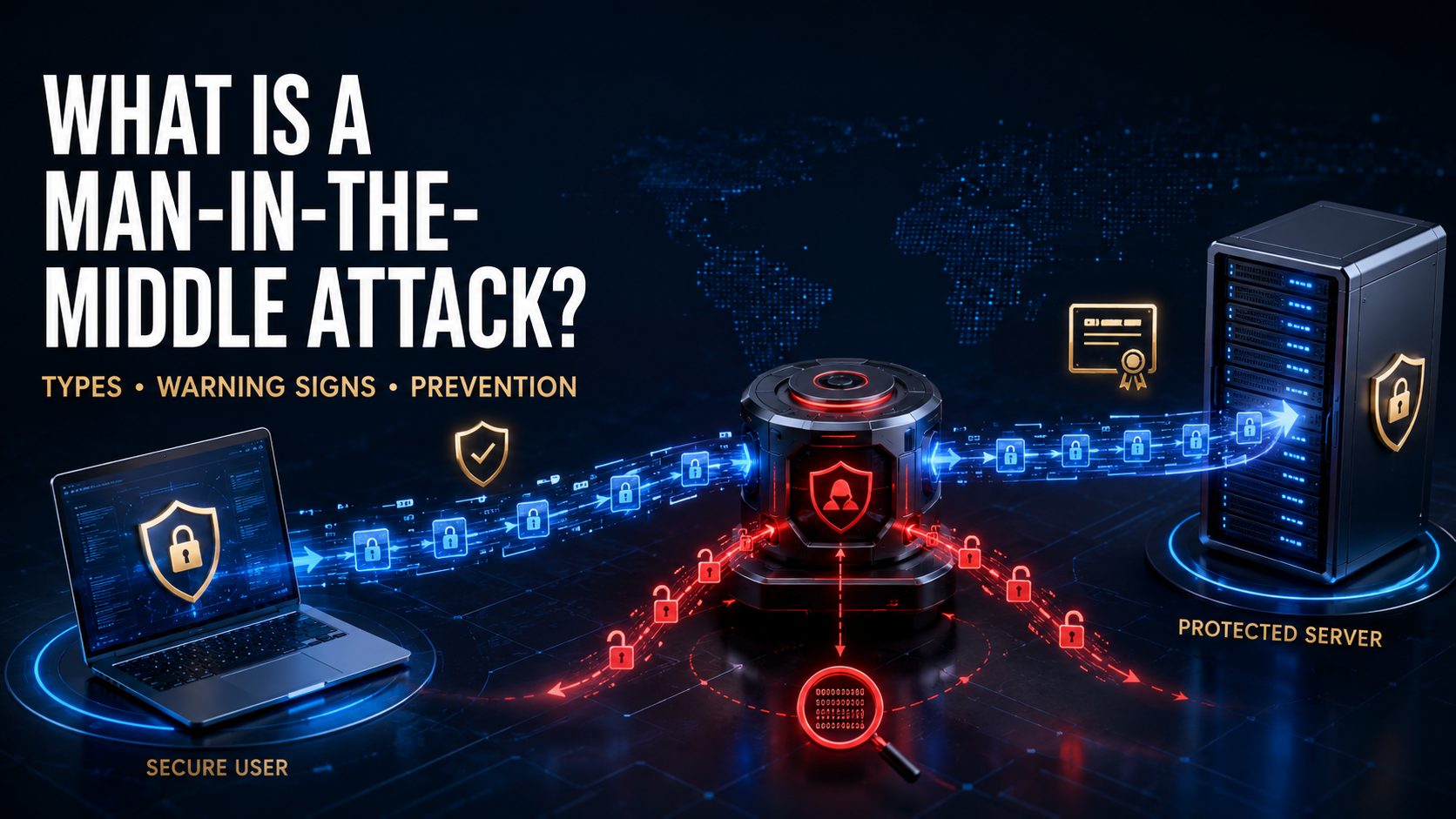
A man-in-the-middle attack is a cyberattack in which a criminal secretly places themselves between two communicating parties. The attacker may monitor the conversation, steal information, impersonate either party, or alter the data being exchanged.
For example, you may believe you are communicating directly with your bank’s website while an attacker is intercepting the connection. Any passwords, payment details, messages, or account information you submit could pass through the attacker’s system first.
The attack is commonly abbreviated as MitM. It is also increasingly called a manipulator-in-the-middle, machine-in-the-middle, or on-path attack.
How Does a Man-in-the-Middle Attack Work?
A MitM attack normally has two main stages: interception and exploitation.
1. The Attacker Intercepts the Connection
The attacker finds a way to position themselves between a victim and the intended destination. This may involve:
- Creating a fraudulent Wi-Fi hotspot
- Compromising a wireless router
- Manipulating local network traffic
- Redirecting users through a malicious server
- Changing Domain Name System records
- Exploiting an insecure or unencrypted connection
The victim may not notice anything unusual because websites, applications, and internet services can continue working normally.
2. The Attacker Reads or Changes the Data
After intercepting the connection, the attacker may observe information traveling through it. If the data is not properly encrypted and authenticated, the attacker could capture or modify it.
Possible targets include:
- Usernames and passwords
- Authentication cookies
- Credit card information
- Bank account details
- Personal messages
- Business documents
- Email communications
- Cryptocurrency transactions
- Security codes
- Confidential customer records
According to the NIST definition of a man-in-the-middle attack, the attacker positions themselves between communicating parties to intercept or alter the data traveling between them.
What Can an Attacker Do During a MitM Attack?
A MitM attacker may remain completely passive and quietly collect information. Alternatively, they may actively manipulate the communication.
An attacker could:
- Record unencrypted internet traffic
- Capture login credentials
- Steal an authenticated session
- Redirect a payment to another account
- Insert malicious files or links
- Change messages before they reach the recipient
- Impersonate a legitimate website or service
- Monitor business communications
- Replace downloaded software with a malicious version
- Collect information for a larger cyberattack
A successful attack can lead to identity theft, account takeover, financial fraud, malware infection, corporate espionage, or a serious data breach.
Common Types of Man-in-the-Middle Attacks
Evil Twin Wi-Fi Attack
An evil twin is a malicious wireless hotspot designed to resemble a legitimate network.
For example, an attacker near a hotel may create a network named “Hotel Guest WiFi.” Visitors may connect to it because the name appears trustworthy. The attacker can then attempt to monitor or manipulate their traffic.
A fraudulent hotspot may also imitate the sign-in page used by the real network and collect email addresses, passwords, or payment information.
Wi-Fi Eavesdropping
Poorly secured wireless networks can expose users to traffic monitoring. An attacker within range may attempt to observe communications, particularly when websites or applications transmit information without proper encryption.
Public networks in airports, restaurants, hotels, and shopping centers deserve extra caution because users cannot easily verify who operates them.
ARP Spoofing
Address Resolution Protocol, or ARP, helps devices on a local network associate IP addresses with physical network addresses.
In an ARP-spoofing attack, a criminal sends fraudulent network messages that cause other devices to associate the attacker’s system with a legitimate destination. Traffic may then be routed through the attacker.
This technique is generally used against devices connected to the same local network.
DNS Spoofing
The Domain Name System translates domain names into the numerical IP addresses computers use.
During DNS spoofing, an attacker manipulates this process so that a legitimate domain name directs the victim to an unauthorized server. The fraudulent website may closely resemble the original and attempt to steal login credentials or financial information.
HTTPS Downgrade
HTTPS uses TLS encryption to protect information exchanged between a browser and a website. In a downgrade attack, a criminal attempts to force the connection to use a less secure protocol or an unencrypted version of the site.
The attacker may then be able to view or modify information transmitted through the weakened connection.
Modern browsers and correctly configured websites make this more difficult, but users should never ignore HTTPS or certificate warnings.
SSL or TLS Interception
A criminal may attempt to intercept an encrypted connection by presenting a fraudulent certificate or creating separate encrypted sessions with the victim and the real service.
Proper certificate validation should reveal that the connection cannot be trusted. However, the attack may succeed if the victim ignores a warning, malicious software installs an unauthorized certificate, or a device has been incorrectly configured.
Session Hijacking
After a user signs in, many websites issue a session cookie or token that keeps the account authenticated.
If an attacker steals that token, they may be able to access the account without knowing the password. OWASP notes that TLS helps protect session identifiers against interception, while secure cookie configuration provides additional protection. OWASP’s session-management guidance recommends using HTTPS throughout the entire session and applying the Secure cookie attribute.
Email Hijacking
Attackers may compromise or impersonate an email account and monitor conversations involving payments, invoices, or sensitive files.
They may wait for the right moment and then replace legitimate payment instructions with their own banking details. This is frequently associated with business email compromise.
Man-in-the-Browser Attack
A man-in-the-browser attack occurs inside the victim’s browser, usually through malicious software. The malware may intercept or modify information before encryption protects it or after the browser decrypts it.
This can allow an attacker to change transaction details while displaying the expected information to the user. OWASP describes man-in-the-browser attacks as a technique commonly associated with financial fraud.
Warning Signs of a Man-in-the-Middle Attack
MitM attacks are designed to remain unnoticed, so there may be no obvious warning. Nevertheless, certain signs deserve investigation:
- A browser displays a certificate or privacy warning
- A familiar website suddenly uses HTTP instead of HTTPS
- The website address contains an unexpected variation
- A Wi-Fi network has multiple similarly named access points
- A public network unexpectedly requests sensitive credentials
- You are repeatedly disconnected from Wi-Fi
- Pages redirect to unfamiliar domains
- Websites appear different or contain unusual sign-in forms
- Login alerts show unfamiliar devices or locations
- Messages arrive with unexpected changes or instructions
- A payment recipient’s details change without reliable confirmation
- An account signs out unexpectedly
- Security software reports certificate, DNS, or network changes
These symptoms do not automatically confirm a MitM attack. They may also result from technical problems, misconfiguration, phishing, malware, or account compromise.
How to Prevent Man-in-the-Middle Attacks
Use HTTPS Websites
Check that sensitive websites use HTTPS. Modern browsers generally display a lock or connection-control icon near the address bar, although the exact design varies.
HTTPS means the connection is encrypted; it does not prove that the website itself is honest. Always verify the complete domain name before entering confidential information.
Never Ignore Certificate Warnings
A certificate warning may indicate an expired certificate, incorrect configuration, captive Wi-Fi portal, or attempted interception.
Do not proceed to banking, email, workplace, or payment services when a browser says the connection is not private. Leave the page and use a trusted connection.
Avoid Sensitive Activity on Public Wi-Fi
Do not access financial accounts, transmit confidential documents, or make important payments over an untrusted network when a safer connection is available.
Using your phone’s cellular connection or a personal hotspot is generally safer than connecting to an unknown public access point.
Verify the Network Name
Ask an employee or check official signage before joining a hotel, airport, café, or conference network. Do not assume that the strongest signal or most professional-looking network name is legitimate.
Disable automatic Wi-Fi connection so your device does not join previously remembered or similarly named networks without your knowledge.
Use a Trusted VPN When Appropriate
A reputable virtual private network encrypts traffic between your device and the VPN service. This can reduce exposure to other users on an untrusted local network.
A VPN does not make every activity safe. The VPN provider can become a point of trust, and a VPN cannot protect you from fraudulent websites, malicious downloads, or credentials voluntarily entered into a phishing page.
Keep Devices and Routers Updated
Install security updates for:
- Operating systems
- Browsers
- Mobile devices
- Wireless routers
- VPN applications
- Security software
- Business network equipment
Updates repair vulnerabilities that attackers may use to compromise devices or network infrastructure.
Secure Your Wireless Router
For home and business networks:
- Use WPA2 or WPA3 encryption
- Create a long, unique Wi-Fi password
- Change the router’s default administrator credentials
- Disable outdated security protocols
- Turn off remote administration unless it is necessary
- Update the router’s firmware
- Remove unknown connected devices
- Create a separate guest network where appropriate
Use Multi-Factor Authentication
Multi-factor authentication adds another verification step if a password is stolen.
Phishing-resistant methods, such as passkeys and hardware security keys, offer stronger protection than codes that can be copied or relayed. Traditional one-time codes still provide useful protection against many password attacks but are not immune to real-time interception.
Use Encrypted Communication Services
Choose applications that provide appropriate encryption and authentication for sensitive conversations. For highly confidential communication, verify important contacts through a separate trusted channel.
Confirm Financial Changes Independently
If an email requests new payment details, a changed bank account, an urgent transfer, or an unusual purchase, confirm it using a previously known telephone number or another trusted communication method.
Do not use the phone number or contact link included in the suspicious message.
Use Secure DNS Where Supported
Encrypted DNS technologies can reduce certain forms of local DNS observation or manipulation. Organizations may also use DNS security controls, filtering, monitoring, and DNSSEC validation where appropriate.
Secure DNS is only one layer and does not replace HTTPS, certificate validation, endpoint security, or safe browsing practices.
How Organizations Can Reduce MitM Risk
Organizations should combine encrypted communications with strong identity and network controls.
Important measures include:
- Enforcing HTTPS across all web services
- Using properly configured, current TLS
- Redirecting HTTP traffic safely
- Enabling HTTP Strict Transport Security
- Protecting session cookies
- Rotating session identifiers after authentication
- Expiring inactive and high-risk sessions
- Using mutual TLS where justified
- Deploying phishing-resistant authentication
- Securing corporate wireless networks
- Detecting rogue access points
- Monitoring ARP, DNS, and certificate anomalies
- Segmenting sensitive networks
- Protecting software-update channels
- Training employees to verify payment changes
- Maintaining an incident-response process
OWASP explains that MitM attacks are particularly effective against unencrypted HTTP because both headers and content may be visible and modifiable. Its manipulator-in-the-middle overview illustrates why authenticated encryption is essential.
What Should You Do If You Suspect a MitM Attack?
Disconnect From the Network
Turn off Wi-Fi or unplug the network connection. If you were using a public hotspot, do not reconnect to it.
Use a Trusted Device and Connection
Move to cellular data, a known home network, or another verified connection. If the potentially affected device may contain malware, use a different trusted device for account recovery.
Change Exposed Passwords
Change passwords for accounts accessed during the suspected incident. Begin with email, banking, workplace, password-manager, and cloud-storage accounts.
Each account should have a unique password.
End Active Sessions
Use the account’s security settings to sign out other devices and revoke unfamiliar sessions. OWASP recommends giving users the ability to invalidate remote sessions when cookie theft or MitM activity is suspected.
Review Multi-Factor Authentication
Remove unfamiliar authentication methods, phone numbers, security keys, passkeys, recovery addresses, and trusted devices. Generate new recovery codes if necessary.
Check Financial Activity
Review bank accounts, payment applications, and credit cards for unauthorized transactions. Contact the financial institution through its official number if anything looks suspicious.
Scan and Update the Device
Install current security updates and run a reputable security scan. Check the browser for unknown extensions and inspect the device for unauthorized VPNs, proxy settings, applications, or security certificates.
Organizations should preserve relevant evidence before making extensive system changes.
Report the Incident
Employees should notify their security or IT team immediately. Provide details such as:
- The network used
- The approximate time
- Websites or services accessed
- Any certificate warnings
- Credentials entered
- Files downloaded
- Transactions attempted
- Screenshots or alerts observed
Consumers may also need to contact their bank, email provider, local cybercrime authority, or national reporting service.
Is Public Wi-Fi Always Dangerous?
No. Public Wi-Fi is not automatically malicious, and HTTPS protects much of today’s web traffic. However, users normally have limited knowledge of how a public network is configured or who controls it.
The safest approach is to treat public Wi-Fi as untrusted:
- Verify the correct network
- Avoid certificate warnings
- Prefer HTTPS
- Disable file sharing
- Keep the firewall enabled
- Avoid sensitive transactions
- Use cellular data when practical
- Forget the network after leaving
Can HTTPS Completely Stop MitM Attacks?
Correctly implemented HTTPS provides strong protection by encrypting traffic and authenticating the server. It can prevent an intermediary from simply reading or changing protected web traffic.
It cannot protect a user who enters credentials into a convincing phishing domain, ignores certificate warnings, uses a compromised device, or installs an attacker-controlled certificate. Website and application owners must also configure TLS and session management correctly.
Can a VPN Prevent Every MitM Attack?
No. A trustworthy VPN can protect traffic between your device and the VPN server, making local interception more difficult. It does not prevent every attack.
A VPN cannot automatically stop:
- Phishing websites
- Malware on the device
- Stolen session tokens
- Compromised online accounts
- Attacks beyond the VPN server
- Fraudulent payment instructions
- Unsafe browser extensions
It should be treated as one security layer, not a complete defense.
Can Multi-Factor Authentication Be Intercepted?
Some forms can. A real-time phishing or adversary-in-the-middle system may relay a password and one-time code to the legitimate service before the code expires.
Passkeys and FIDO security keys are more resistant because authentication is cryptographically connected to the legitimate website. Users should still review the domain and respond carefully to unexpected authentication requests.
What Is the Difference Between MitM and Phishing?
Phishing attempts to deceive a person into revealing information or performing an unsafe action. A man-in-the-middle attack intercepts communication between two parties.
The techniques can be combined. For example, an attacker may use phishing to direct someone to an intermediary site that relays credentials to the real service in real time.
What Is the Difference Between MitM and Eavesdropping?
Eavesdropping is generally passive: the attacker listens to or records communication. A MitM attacker may also actively relay, modify, block, or inject data.
Passive monitoring can still be extremely harmful when sensitive information is transmitted without encryption.
